Building quality homes WordPress Theme


Edit Template Offline
2. Create new page and search for id 64324
Edit Template Online
Create Awesome Websites


Free Nicepage Builder
Keywords
Page Content and Repeated Agency Areas Suit a Managed Architecture Site
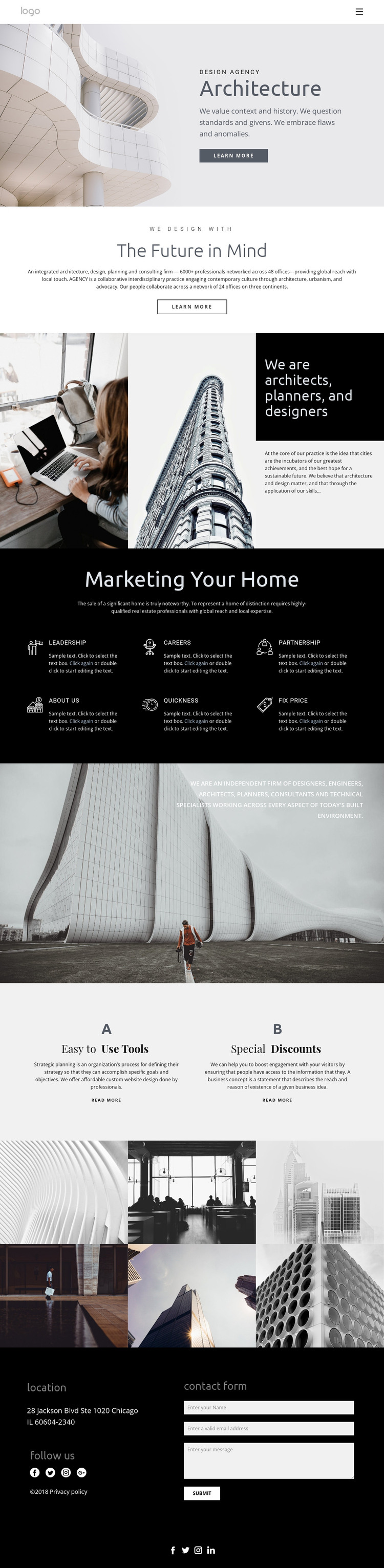
The design separates permanent agency information into clear page-oriented regions. The Creative Studio hero can establish the main identity, while the Future in Mind section provides a second area for the studio’s approach. The six capability items then offer repeated content units for areas such as Leadership, Careers, Partnership, and About Us. Their shared visual treatment makes them easier to interpret as related pieces of agency content rather than unrelated promotional cards.
The two service options provide another useful content relationship. Each column contains a label, supporting description, and Read more action, creating a compact structure for presenting distinct offerings or directing visitors toward more detailed information. The six-image architectural mosaic complements those text areas with visual material, so the page can combine explanatory content with a strong image-led presentation. These observations describe the design’s content structure without claiming that WordPress Posts, categories, or blog templates already exist.
The dark footer is a natural shared site region for the theme’s practical content. It combines location information, a contact form, legal text, and social links to Facebook, Twitter, Instagram, and LinkedIn. In a WordPress-managed project, permanent page content and later updated material could remain visually connected to these recurring areas. The theme’s main strength is therefore the way its agency introduction, repeated capabilities, service choices, gallery, and contact content already form a coherent content environment.
Customize with Nicepage
Open this ready-made template in the WordPress Website Builder and customize it visually in the Nicepage editor. Replace demo content, edit page sections, and adapt the design to your project without rebuilding the template from scratch.
Manage and Edit This Theme in WordPress
Customize and Install the WordPress Theme
Start with this ready-made theme instead of building the WordPress design from scratch. Customize its layout, content, typography, images, sections, and other design elements visually in Nicepage editor, then export and install the WordPress Theme, Plugin, and Pages on your WordPress site. The Nicepage WordPress Plugin lets you continue working with the site after installation.
Edit the Theme Directly in WordPress
After installation, you can edit the WordPress Theme directly in WordPress with the Nicepage WordPress Plugin. Use Site Style to customize site Colors, Fonts, Header, Footer, Blog, and Post Page Templates while working within your WordPress website.
Edit WordPress Pages Visually
Use the Nicepage WordPress Plugin to edit page content directly from the WordPress admin area. Open a WordPress Page with Nicepage and visually change its text, images, sections, and other page elements while continuing to manage the Page through WordPress.
WordPress Content and Theme Integration
Use the customized theme with WordPress Pages, Posts, Blog and Post Templates, menus, widgets, and other CMS-managed content. Shared theme elements such as Colors, Fonts, Header, Footer, Blog, and Post Page Templates can be managed as part of the overall site design, while WordPress provides the CMS environment for managing site content.
This workflow combines a ready-made WordPress Theme with visual customization, direct theme editing in WordPress, and continued content management through the Nicepage WordPress Plugin.