Transforming ideas into action WordPress Theme


A Scannable Portfolio Section for WordPress Page Content
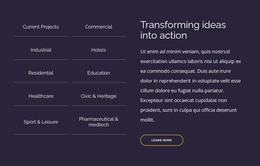
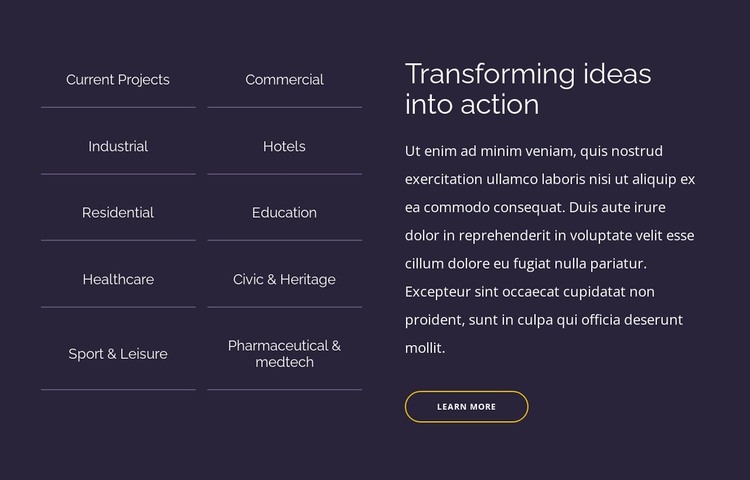
The category list gives this block a stable page-content role in a WordPress-managed project. Ten entries are arranged in two columns, allowing a portfolio section to show a range of project areas without turning the content into a long vertical sequence. Commercial, Industrial, Hotels, Residential, Education, Healthcare, Civic & Heritage, and Sport & Leisure are visibly represented, while thin dividers help readers distinguish the individual labels and understand the list as one organized group.
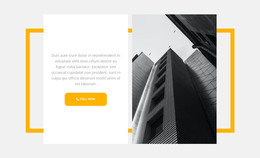
The adjacent text column supports a page-oriented reading sequence. “Transforming ideas into action” serves as the main heading, the paragraph introduces the portfolio context, and the “Learn more” button offers a route toward additional information. The dark navy-purple background creates a consistent field for the light typography, while the rounded yellow outline gives the action a focused visual position beneath the paragraph. These relationships make the block suitable for permanent portfolio content rather than a loose collection of unrelated labels.
Within a WordPress-oriented site, the section can remain a reusable visual area on a services, projects, or company page while other content is managed around it. The category wording and supporting copy can be revised for the project’s actual content, and the button can connect to a relevant destination when one is defined. The block contributes page content within the wider theme and site; it is not a standalone WordPress Theme.
Customize with Nicepage
Open this ready-made template in the WordPress Website Builder and customize it visually in the Nicepage editor. Replace demo content, edit page sections, and adapt the design to your project without rebuilding the template from scratch.
Edit Template Offline
2. Create a new page or select existing
3. Click Add new block, search for id 6078237 and click enter
Edit Template Online
Create Awesome Websites


Free Nicepage Builder
Keywords
Manage and Edit This Theme in WordPress
Customize and Install the WordPress Theme
Start with this ready-made theme instead of building the WordPress design from scratch. Customize its layout, content, typography, images, sections, and other design elements visually in Nicepage editor, then export and install the WordPress Theme, Plugin, and Pages on your WordPress site. The Nicepage WordPress Plugin lets you continue working with the site after installation.
Edit the Theme Directly in WordPress
After installation, you can edit the WordPress Theme directly in WordPress with the Nicepage WordPress Plugin. Use Site Style to customize site Colors, Fonts, Header, Footer, Blog, and Post Page Templates while working within your WordPress website.
Edit WordPress Pages Visually
Use the Nicepage WordPress Plugin to edit page content directly from the WordPress admin area. Open a WordPress Page with Nicepage and visually change its text, images, sections, and other page elements while continuing to manage the Page through WordPress.
WordPress Content and Theme Integration
Use the customized theme with WordPress Pages, Posts, Blog and Post Templates, menus, widgets, and other CMS-managed content. Shared theme elements such as Colors, Fonts, Header, Footer, Blog, and Post Page Templates can be managed as part of the overall site design, while WordPress provides the CMS environment for managing site content.
This workflow combines a ready-made WordPress Theme with visual customization, direct theme editing in WordPress, and continued content management through the Nicepage WordPress Plugin.