Nutrition blog WordPress Theme


Edit Template Offline
2. Create new page and search for id 6437926
Edit Template Online
Create Awesome Websites


Free Nicepage Builder
Keywords
Article cards and service categories create a WordPress-ready content pattern
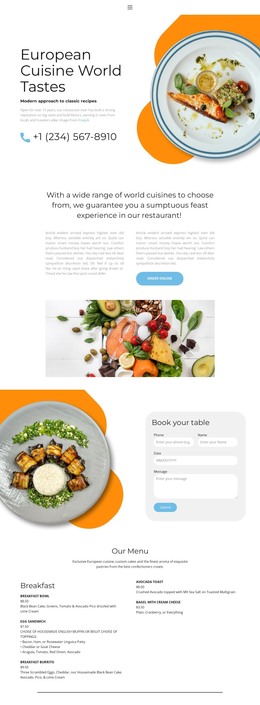
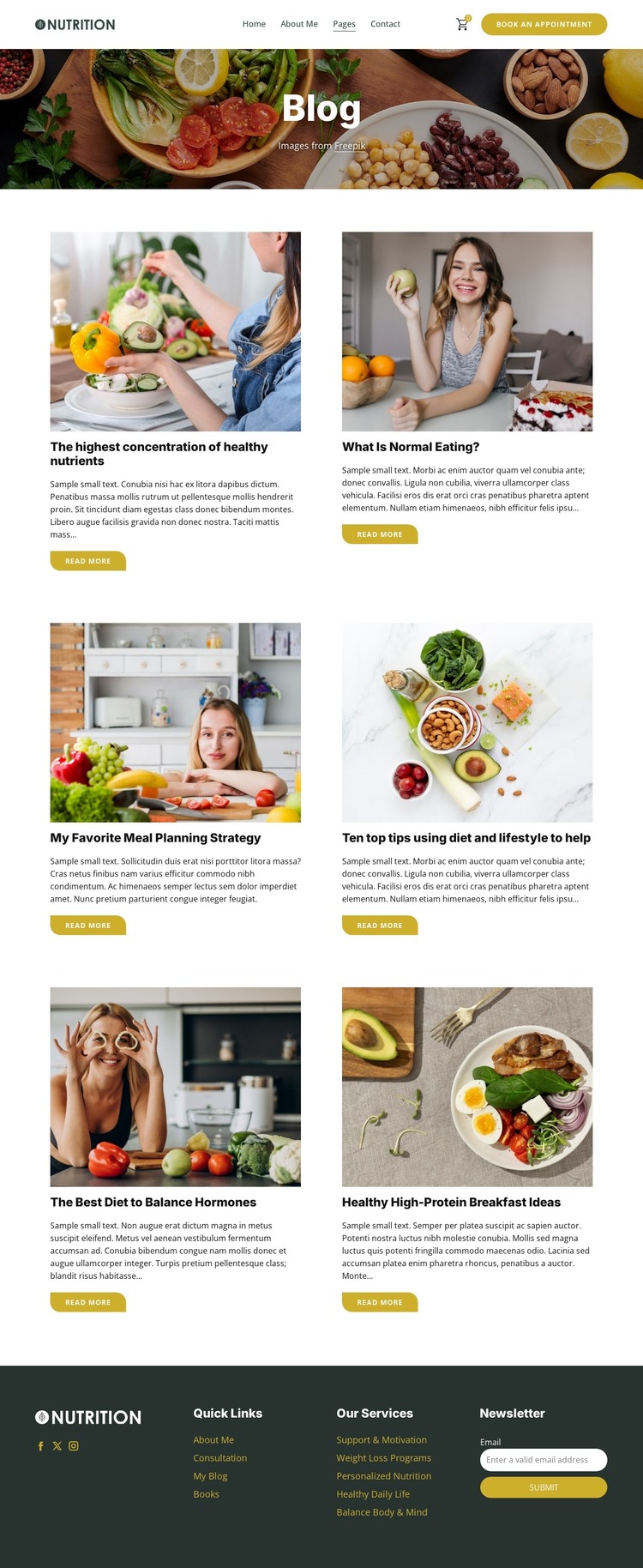
The six repeated article cards are the most natural content relationship for a WordPress-oriented interpretation of this design. Each card previews a nutrition subject through food imagery, a title, an excerpt, and a Read More action. That pattern separates article discovery from the full content a visitor may read later, while topics such as meal planning, normal eating, hormone balance, and high-protein breakfasts provide a clear editorial direction. The analysis confirms the article presentation, but it does not prove that WordPress Posts already exist.
The page also contains more permanent site-oriented content. The header carries navigation and a Book An Appointment action, while the footer identifies service areas such as Personalized Nutrition, Weight Loss Programs, Support & Motivation, and Balance Body & Mind. These labels can help distinguish ongoing article content from page-oriented information about services. Social links and the newsletter form add communication channels around both types of content without changing the visual character of the design.
In a WordPress project, this separation can support a theme structure in which permanent nutrition or consultation information sits alongside regularly updated editorial material. The food imagery, white article cards, dark green accents, and dark footer can remain consistent as content changes. Nicepage documentation confirms that WordPress Pages and Posts can be managed within the WordPress environment, but that capability is a product bridge, not evidence that this specific template already contains a WordPress blog database.
Customize with Nicepage
Open this ready-made template in the WordPress Website Builder and customize it visually in the Nicepage editor. Replace demo content, edit page sections, and adapt the design to your project without rebuilding the template from scratch.
Manage and Edit This Theme in WordPress
Customize and Install the WordPress Theme
Start with this ready-made theme instead of building the WordPress design from scratch. Customize its layout, content, typography, images, sections, and other design elements visually in Nicepage editor, then export and install the WordPress Theme, Plugin, and Pages on your WordPress site. The Nicepage WordPress Plugin lets you continue working with the site after installation.
Edit the Theme Directly in WordPress
After installation, you can edit the WordPress Theme directly in WordPress with the Nicepage WordPress Plugin. Use Site Style to customize site Colors, Fonts, Header, Footer, Blog, and Post Page Templates while working within your WordPress website.
Edit WordPress Pages Visually
Use the Nicepage WordPress Plugin to edit page content directly from the WordPress admin area. Open a WordPress Page with Nicepage and visually change its text, images, sections, and other page elements while continuing to manage the Page through WordPress.
WordPress Content and Theme Integration
Use the customized theme with WordPress Pages, Posts, Blog and Post Templates, menus, widgets, and other CMS-managed content. Shared theme elements such as Colors, Fonts, Header, Footer, Blog, and Post Page Templates can be managed as part of the overall site design, while WordPress provides the CMS environment for managing site content.
This workflow combines a ready-made WordPress Theme with visual customization, direct theme editing in WordPress, and continued content management through the Nicepage WordPress Plugin.