Exclusive chef WordPress Theme



Edit Template Offline
2. Create new page and search for id 5707829
Edit Template Online
Create Awesome Websites


Free Nicepage Builder
Keywords
Menu Categories and Restaurant Pages Give WordPress Content a Clear Shape
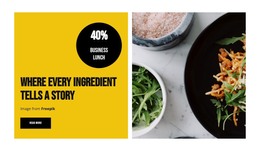
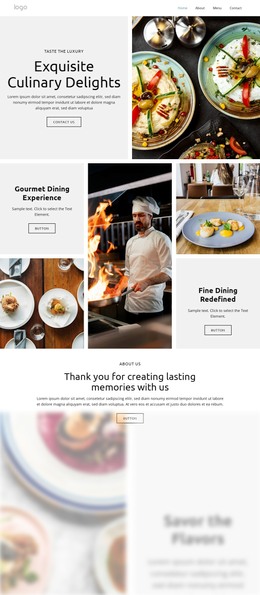
The page’s permanent restaurant information is divided into content areas that can be interpreted naturally within a WordPress-managed site. Stef's Steakhouse positioning and the Victor Perry executive chef feature provide page-oriented material, while the gift and latest-news panels point toward promotional or editorial content that can change independently of the core restaurant identity. The navigation and mobile navigation help connect those areas as the project grows.
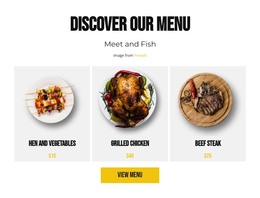
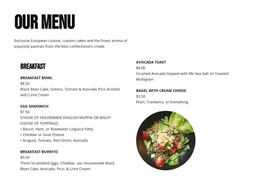
The repeated dining cards are especially useful as a content model. Lunch, dinner, brunch, Barbook, cocktails, and desserts are presented as six related categories, each with its own “View more” action. The dinner section then gives visitors a more detailed food presentation, including oysters, shrimp, scallops, wagyu, burgers, chicken, salmon, and lobster. This distinction between category-level discovery and detailed menu information can help a WordPress project separate durable restaurant pages from content that may be updated more frequently, without claiming that posts or categories already exist in the template.
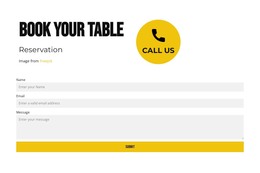
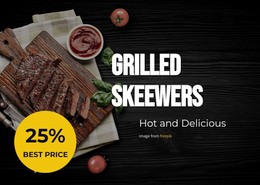
The closing address-and-hours section keeps the practical contact information visible beside a reservation form with name, email, and message fields. That relationship supports a WordPress theme interpretation centered on reusable restaurant content, menu presentation, promotional updates, and a stable booking destination. The visual system remains anchored by food photography, dark sections, yellow actions, and strong typography as those content areas develop.
Customize with Nicepage
Open this ready-made template in the WordPress Website Builder and customize it visually in the Nicepage editor. Replace demo content, edit page sections, and adapt the design to your project without rebuilding the template from scratch.
Manage and Edit This Theme in WordPress
Customize and Install the WordPress Theme
Start with this ready-made theme instead of building the WordPress design from scratch. Customize its layout, content, typography, images, sections, and other design elements visually in Nicepage editor, then export and install the WordPress Theme, Plugin, and Pages on your WordPress site. The Nicepage WordPress Plugin lets you continue working with the site after installation.
Edit the Theme Directly in WordPress
After installation, you can edit the WordPress Theme directly in WordPress with the Nicepage WordPress Plugin. Use Site Style to customize site Colors, Fonts, Header, Footer, Blog, and Post Page Templates while working within your WordPress website.
Edit WordPress Pages Visually
Use the Nicepage WordPress Plugin to edit page content directly from the WordPress admin area. Open a WordPress Page with Nicepage and visually change its text, images, sections, and other page elements while continuing to manage the Page through WordPress.
WordPress Content and Theme Integration
Use the customized theme with WordPress Pages, Posts, Blog and Post Templates, menus, widgets, and other CMS-managed content. Shared theme elements such as Colors, Fonts, Header, Footer, Blog, and Post Page Templates can be managed as part of the overall site design, while WordPress provides the CMS environment for managing site content.
This workflow combines a ready-made WordPress Theme with visual customization, direct theme editing in WordPress, and continued content management through the Nicepage WordPress Plugin.