Good mood good food WordPress Theme


Edit Template Offline
2. Create new page and search for id 14548
Edit Template Online
Create Awesome Websites


Free Nicepage Builder
Keywords
Food Categories and Recipe Sections Give WordPress Content a Clear Shape
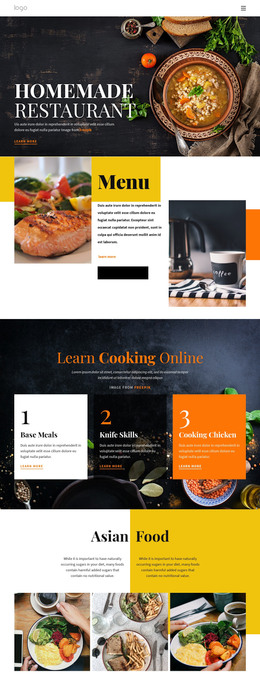
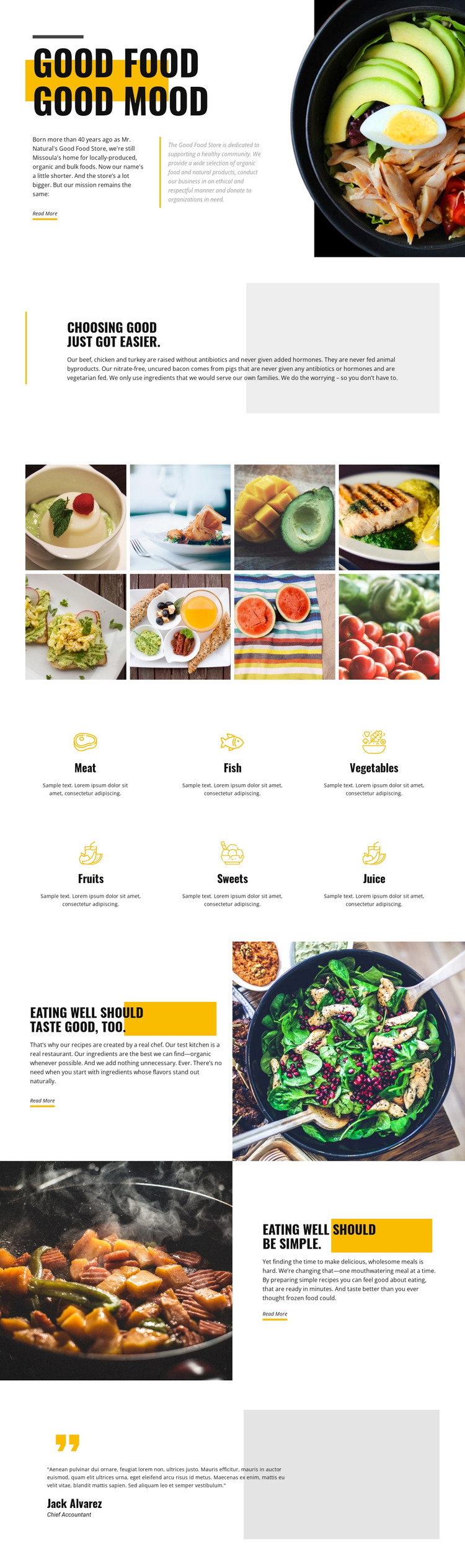
The opening store introduction and the focused quality section provide two distinct areas for permanent page content. Together they can present the Good Food Store identity, its Missoula location, locally produced, organic, and bulk selection, and the stated standard that meat is raised without antibiotics and added hormones. The large bowl image supports the introduction without replacing the explanatory text, leaving a clear relationship between visual branding and page-oriented information.
The six category items create a repeatable content pattern for meat, fish, vegetables, fruits, sweets, and juice. Their shared icon-and-text treatment keeps the food selection organized while allowing each category to carry its own description. The eight-image gallery adds a separate visual area, and the two recipe-focused sections extend the content beyond product categories by presenting chef-created recipes, organic ingredients, and convenient meals. These relationships give a WordPress project several defined content areas to maintain within one visual system.
The design does not prove that WordPress Posts, categories, or a blog already exist. If regularly updated recipes, announcements, or food stories are later introduced, they can be interpreted around the established page content rather than forcing a new visual language. The testimonial-style closing panel can remain a supporting content area, while the Read More actions mark places for fuller information when actual destinations are supplied. This makes the theme useful for a CMS-managed food presentation without overstating its verified structure.
Customize with Nicepage
Open this ready-made template in the WordPress Website Builder and customize it visually in the Nicepage editor. Replace demo content, edit page sections, and adapt the design to your project without rebuilding the template from scratch.
Manage and Edit This Theme in WordPress
Customize and Install the WordPress Theme
Start with this ready-made theme instead of building the WordPress design from scratch. Customize its layout, content, typography, images, sections, and other design elements visually in Nicepage editor, then export and install the WordPress Theme, Plugin, and Pages on your WordPress site. The Nicepage WordPress Plugin lets you continue working with the site after installation.
Edit the Theme Directly in WordPress
After installation, you can edit the WordPress Theme directly in WordPress with the Nicepage WordPress Plugin. Use Site Style to customize site Colors, Fonts, Header, Footer, Blog, and Post Page Templates while working within your WordPress website.
Edit WordPress Pages Visually
Use the Nicepage WordPress Plugin to edit page content directly from the WordPress admin area. Open a WordPress Page with Nicepage and visually change its text, images, sections, and other page elements while continuing to manage the Page through WordPress.
WordPress Content and Theme Integration
Use the customized theme with WordPress Pages, Posts, Blog and Post Templates, menus, widgets, and other CMS-managed content. Shared theme elements such as Colors, Fonts, Header, Footer, Blog, and Post Page Templates can be managed as part of the overall site design, while WordPress provides the CMS environment for managing site content.
This workflow combines a ready-made WordPress Theme with visual customization, direct theme editing in WordPress, and continued content management through the Nicepage WordPress Plugin.