Learn cooking the easy way WordPress Theme



Edit Template Offline
2. Create new page and search for id 154733
Edit Template Online
Create Awesome Websites


Free Nicepage Builder
Keywords
Course Topics and Repeated Content Areas Suit a Managed Education Site
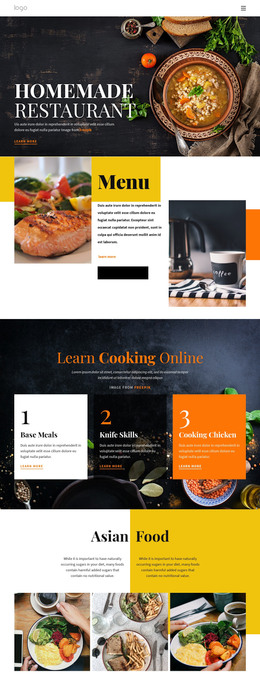
The page separates permanent course information into clear areas that can remain part of a WordPress-managed visual system. The Learn introduction establishes the main subject, while the four numbered cards organize Teaching, Innovations, Lessons, and Tips and Tricks as recurring informational units. Online Cooking Classes and Course structure provide broader page-oriented content, and the audience section helps explain who the instruction is intended for. Together, these areas give the design a stable framework for course information rather than relying only on a single promotional headline.
The specific lesson sections create additional opportunities for content growth. Cooking Vegetables is paired with a chef image and a four-image culinary gallery, making it suitable for a visual lesson or project area. Healthy food supplies another topic block, while French patisserie strengthens the course's editorial focus. The chefs boot camp section adds four supporting text columns that can be adapted as supporting program information without changing the main visual direction. Navigation, social links, contact information, and the inquiry form provide shared page elements around those content areas. The design does not prove that posts, categories, or blog structures already exist, but its repeated cards, lesson subjects, and educational sections can accommodate permanent course pages and future updates within a WordPress content environment.
Customize with Nicepage
Open this ready-made template in the WordPress Website Builder and customize it visually in the Nicepage editor. Replace demo content, edit page sections, and adapt the design to your project without rebuilding the template from scratch.
Manage and Edit This Theme in WordPress
Customize and Install the WordPress Theme
Start with this ready-made theme instead of building the WordPress design from scratch. Customize its layout, content, typography, images, sections, and other design elements visually in Nicepage editor, then export and install the WordPress Theme, Plugin, and Pages on your WordPress site. The Nicepage WordPress Plugin lets you continue working with the site after installation.
Edit the Theme Directly in WordPress
After installation, you can edit the WordPress Theme directly in WordPress with the Nicepage WordPress Plugin. Use Site Style to customize site Colors, Fonts, Header, Footer, Blog, and Post Page Templates while working within your WordPress website.
Edit WordPress Pages Visually
Use the Nicepage WordPress Plugin to edit page content directly from the WordPress admin area. Open a WordPress Page with Nicepage and visually change its text, images, sections, and other page elements while continuing to manage the Page through WordPress.
WordPress Content and Theme Integration
Use the customized theme with WordPress Pages, Posts, Blog and Post Templates, menus, widgets, and other CMS-managed content. Shared theme elements such as Colors, Fonts, Header, Footer, Blog, and Post Page Templates can be managed as part of the overall site design, while WordPress provides the CMS environment for managing site content.
This workflow combines a ready-made WordPress Theme with visual customization, direct theme editing in WordPress, and continued content management through the Nicepage WordPress Plugin.