About our pizzeria WordPress Theme
Edit Template Offline
2. Create new page and search for id 4715602
Edit Template Online
Create Awesome Websites


Free Nicepage Builder
Keywords
Page Content Moves From Restaurant Story to Customer Information
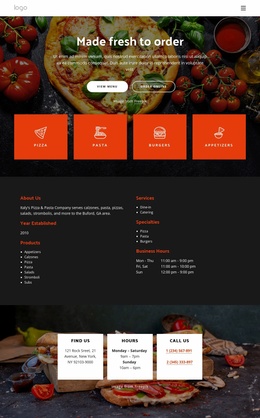
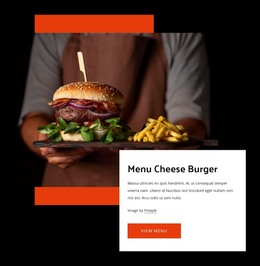
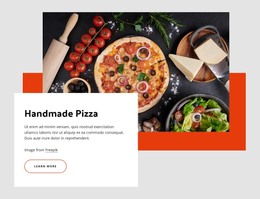
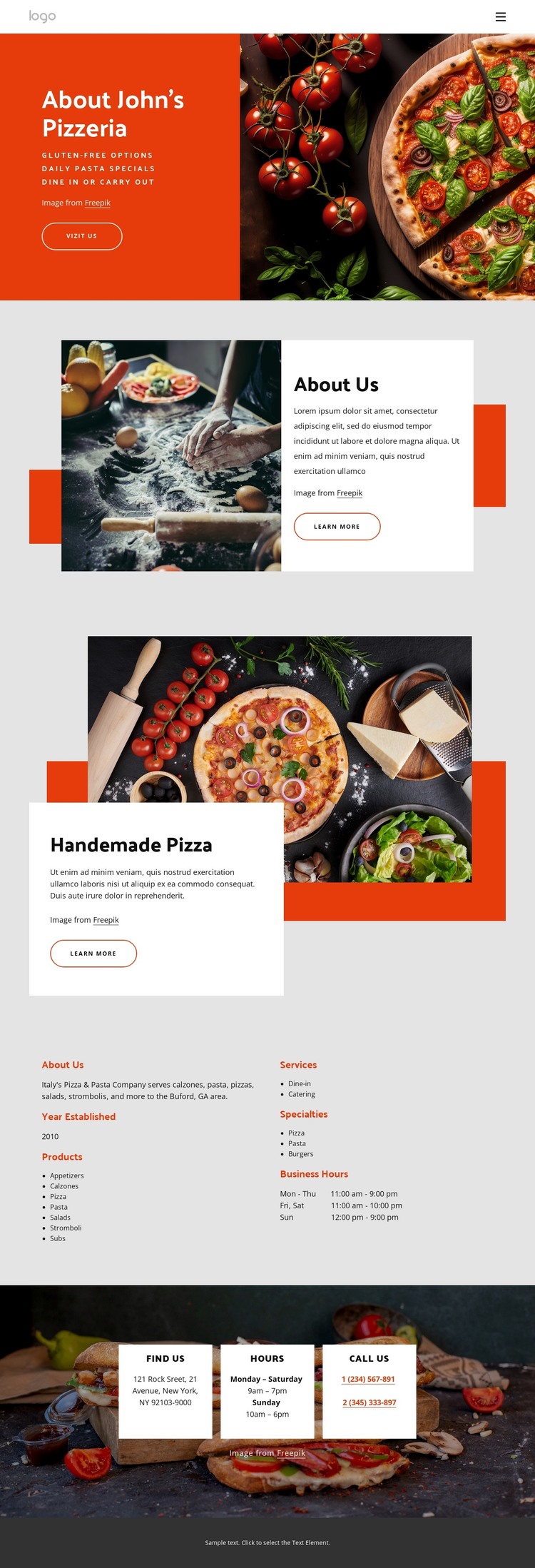
The opening About John's Pizzeria area gives a WordPress-managed page a clear permanent content role: it introduces the restaurant through a red text panel, food photography, and a Visit Us action. The About Us section can carry supporting business information, while Handmade Pizza provides a separate featured-food area with its own image and overlapping text card. Together, these sections create page content with different editorial purposes rather than one repeated block.
The Products section adds a second kind of content structure. Its two columns group products, services, specialties, and business hours, including pizza, pasta, appetizers, calzones, salads, stromboli, subs, burgers, dine-in, catering, and gluten-free options. These are verified content categories in the design, not a claim that WordPress posts, categories, or blog structures already exist. They can nevertheless give a WordPress project a clear basis for organizing permanent restaurant information and later additions.
The Find Us area shifts toward reusable contact content through three cards for location, hours, and phone details. That practical ending complements the story and offering sections, giving visitors a direct next step after reading about the food. A WordPress interpretation is therefore strongest when it treats the design as a coordinated set of page areas—restaurant introduction, featured food, structured offerings, and contact information—rather than reducing it to a CMS label. Nicepage’s WordPress Plugin is an optional bridge for continuing to work with such page content in WordPress.
Customize with Nicepage
Open this ready-made template in the WordPress Website Builder and customize it visually in the Nicepage editor. Replace demo content, edit page sections, and adapt the design to your project without rebuilding the template from scratch.
Manage and Edit This Theme in WordPress
Customize and Install the WordPress Theme
Start with this ready-made theme instead of building the WordPress design from scratch. Customize its layout, content, typography, images, sections, and other design elements visually in Nicepage editor, then export and install the WordPress Theme, Plugin, and Pages on your WordPress site. The Nicepage WordPress Plugin lets you continue working with the site after installation.
Edit the Theme Directly in WordPress
After installation, you can edit the WordPress Theme directly in WordPress with the Nicepage WordPress Plugin. Use Site Style to customize site Colors, Fonts, Header, Footer, Blog, and Post Page Templates while working within your WordPress website.
Edit WordPress Pages Visually
Use the Nicepage WordPress Plugin to edit page content directly from the WordPress admin area. Open a WordPress Page with Nicepage and visually change its text, images, sections, and other page elements while continuing to manage the Page through WordPress.
WordPress Content and Theme Integration
Use the customized theme with WordPress Pages, Posts, Blog and Post Templates, menus, widgets, and other CMS-managed content. Shared theme elements such as Colors, Fonts, Header, Footer, Blog, and Post Page Templates can be managed as part of the overall site design, while WordPress provides the CMS environment for managing site content.
This workflow combines a ready-made WordPress Theme with visual customization, direct theme editing in WordPress, and continued content management through the Nicepage WordPress Plugin.