Our pizza menu WordPress Theme


Edit Template Offline
2. Create new page and search for id 4713195
Edit Template Online
Create Awesome Websites


Free Nicepage Builder
Keywords
Pizza Cards and Repeated Categories Support WordPress Content
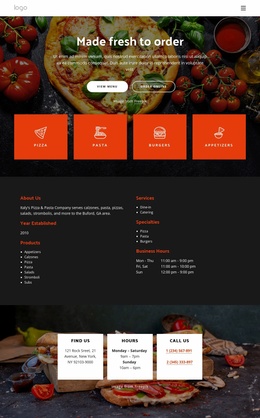
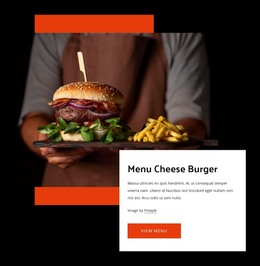
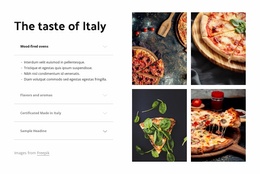
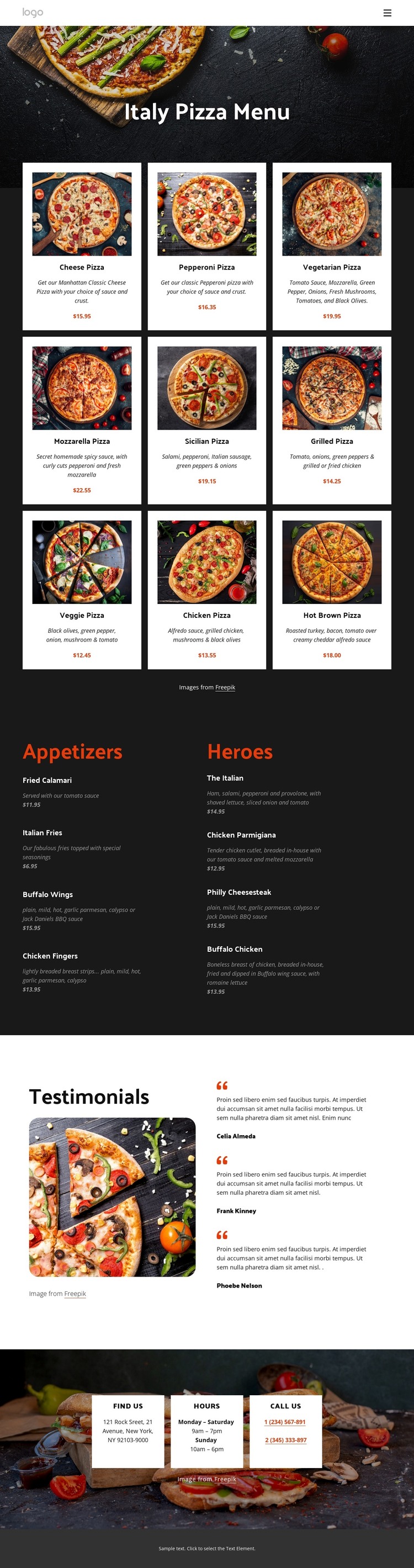
The repeated pizza cards provide a strong page-oriented content base for a WordPress-managed restaurant site. Nine distinct choices are presented through a consistent combination of image, name, description, and displayed menu information, so the main page can communicate a substantial food offering without losing visual order. The Appetizers and Heroes columns add another useful relationship: they separate supporting menu categories while keeping them within the same restaurant presentation.
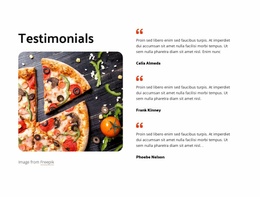
The testimonial area can be interpreted as a separate content group that supports the menu rather than as another product list. Three rounded cards sit beside a large food image, giving the page a place for customer-focused material while preserving the food-led identity. The people and quotations shown are demo content, not verified customer records, so they should be replaced or independently confirmed in a real WordPress project.
The contact section contributes permanent practical page content through its Find Us, Hours, and Call Us cards. Location, schedule, and phone information are visibly grouped over a photographic background, while the compact header and dark footer provide shared site framing. If the project later adds regularly updated restaurant information, the existing visual direction can continue around that content. This interpretation concerns the concrete page areas and their relationships; it does not claim that WordPress Posts, categories, or blog structures already exist in the template.
Customize with Nicepage
Open this ready-made template in the WordPress Website Builder and customize it visually in the Nicepage editor. Replace demo content, edit page sections, and adapt the design to your project without rebuilding the template from scratch.
Manage and Edit This Theme in WordPress
Customize and Install the WordPress Theme
Start with this ready-made theme instead of building the WordPress design from scratch. Customize its layout, content, typography, images, sections, and other design elements visually in Nicepage editor, then export and install the WordPress Theme, Plugin, and Pages on your WordPress site. The Nicepage WordPress Plugin lets you continue working with the site after installation.
Edit the Theme Directly in WordPress
After installation, you can edit the WordPress Theme directly in WordPress with the Nicepage WordPress Plugin. Use Site Style to customize site Colors, Fonts, Header, Footer, Blog, and Post Page Templates while working within your WordPress website.
Edit WordPress Pages Visually
Use the Nicepage WordPress Plugin to edit page content directly from the WordPress admin area. Open a WordPress Page with Nicepage and visually change its text, images, sections, and other page elements while continuing to manage the Page through WordPress.
WordPress Content and Theme Integration
Use the customized theme with WordPress Pages, Posts, Blog and Post Templates, menus, widgets, and other CMS-managed content. Shared theme elements such as Colors, Fonts, Header, Footer, Blog, and Post Page Templates can be managed as part of the overall site design, while WordPress provides the CMS environment for managing site content.
This workflow combines a ready-made WordPress Theme with visual customization, direct theme editing in WordPress, and continued content management through the Nicepage WordPress Plugin.