Making a difference for food WordPress Theme


Edit Template Offline
2. Create new page and search for id 22562
Edit Template Online
Create Awesome Websites


Free Nicepage Builder
Keywords
Service Pages and Portfolio Content Fit a WordPress Theme Structure
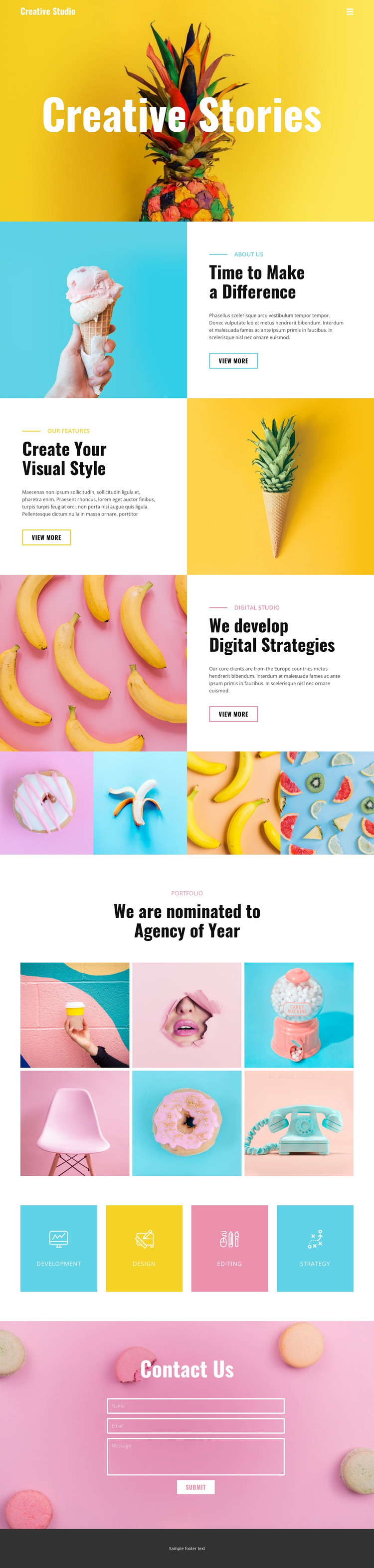
The page separates relatively stable agency information into clear content areas. The studio introduction, visual-style feature, and digital-strategy section each combine an image with a label, heading, paragraph, and “View More” action, creating a repeatable pattern for page-oriented content. The four service tiles then provide a concise index of Development, Design, Editing, and Strategy, which can connect the broader agency story with individual service explanations without changing the established visual direction.
The image content has its own useful structure. A four-panel strip supplies supporting photography, while the six-image portfolio showcase gives visual work a more prominent presentation under a dedicated heading. Interpreted together with the service categories, these areas can support a site that distinguishes what the agency offers from examples of how that work is presented. The distinction is important: the gallery is not treated as another text-heavy service block, and the service tiles are not asked to carry all of the proof.
The contact form provides a permanent page-level response area after visitors have encountered the agency’s capabilities and portfolio. Its photographic background and centered “Contact Us” heading preserve the theme’s visual character while giving the page a clear inquiry endpoint. A WordPress project could continue this separation between page content and regularly updated material if the site later adds editorial sections, without assuming that posts already exist in this template. The WordPress Plugin can support editing within the CMS environment.
Customize with Nicepage
Open this ready-made template in the WordPress Website Builder and customize it visually in the Nicepage editor. Replace demo content, edit page sections, and adapt the design to your project without rebuilding the template from scratch.
Manage and Edit This Theme in WordPress
Customize and Install the WordPress Theme
Start with this ready-made theme instead of building the WordPress design from scratch. Customize its layout, content, typography, images, sections, and other design elements visually in Nicepage editor, then export and install the WordPress Theme, Plugin, and Pages on your WordPress site. The Nicepage WordPress Plugin lets you continue working with the site after installation.
Edit the Theme Directly in WordPress
After installation, you can edit the WordPress Theme directly in WordPress with the Nicepage WordPress Plugin. Use Site Style to customize site Colors, Fonts, Header, Footer, Blog, and Post Page Templates while working within your WordPress website.
Edit WordPress Pages Visually
Use the Nicepage WordPress Plugin to edit page content directly from the WordPress admin area. Open a WordPress Page with Nicepage and visually change its text, images, sections, and other page elements while continuing to manage the Page through WordPress.
WordPress Content and Theme Integration
Use the customized theme with WordPress Pages, Posts, Blog and Post Templates, menus, widgets, and other CMS-managed content. Shared theme elements such as Colors, Fonts, Header, Footer, Blog, and Post Page Templates can be managed as part of the overall site design, while WordPress provides the CMS environment for managing site content.
This workflow combines a ready-made WordPress Theme with visual customization, direct theme editing in WordPress, and continued content management through the Nicepage WordPress Plugin.