How to start running workouts WordPress Theme


The “02” Running Section Fits Stable WordPress Page Content
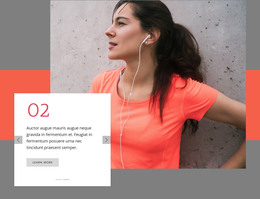
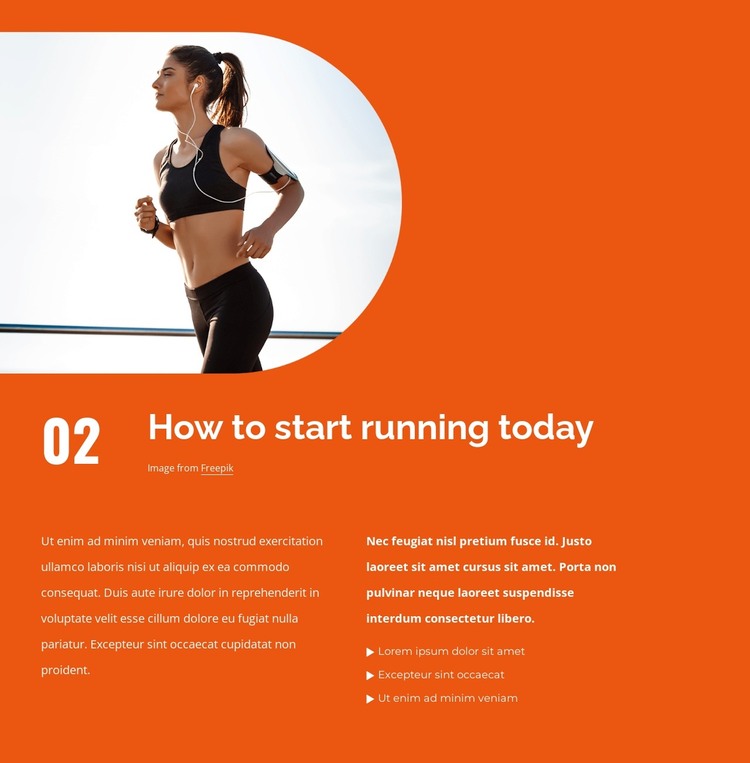
The “02” label and the heading “How to start running today” give this block a defined place within a larger set of informational sections. Above them, the large photograph of a woman running provides immediate visual context, while the rounded crop adds a soft boundary to the image’s right side. Bright orange behind the section and white typography create a strong, repeatable presentation for the running topic without requiring additional interface components.
Below the heading, two explanatory paragraphs are arranged in side-by-side columns. The right column’s three-item bulleted list introduces a second content rhythm, allowing shorter guidance points to sit beside more continuous text. That combination makes the block suitable for stable page content in a WordPress-managed site: it can serve as a focused running or fitness information area while other page sections handle related subjects, introductions, or contact details.
The block can be adapted as the content of a permanent page section without changing its internal hierarchy. Replacing the placeholder copy and image credit with project-specific material would preserve the relationship between the runner photograph, numbered marker, heading, paragraphs, and list. Nicepage’s WordPress Plugin supports editing page content in WordPress, while the surrounding site remains responsible for its wider CMS structure. The section itself stays a reusable content unit, not a complete WordPress theme.
Customize with Nicepage
Open this ready-made template in the WordPress Website Builder and customize it visually in the Nicepage editor. Replace demo content, edit page sections, and adapt the design to your project without rebuilding the template from scratch.
Edit Template Offline
2. Create a new page or select existing
3. Click Add new block, search for id 2626411 and click enter
Edit Template Online
Create Awesome Websites


Free Nicepage Builder
Keywords
Manage and Edit This Theme in WordPress
Customize and Install the WordPress Theme
Start with this ready-made theme instead of building the WordPress design from scratch. Customize its layout, content, typography, images, sections, and other design elements visually in Nicepage editor, then export and install the WordPress Theme, Plugin, and Pages on your WordPress site. The Nicepage WordPress Plugin lets you continue working with the site after installation.
Edit the Theme Directly in WordPress
After installation, you can edit the WordPress Theme directly in WordPress with the Nicepage WordPress Plugin. Use Site Style to customize site Colors, Fonts, Header, Footer, Blog, and Post Page Templates while working within your WordPress website.
Edit WordPress Pages Visually
Use the Nicepage WordPress Plugin to edit page content directly from the WordPress admin area. Open a WordPress Page with Nicepage and visually change its text, images, sections, and other page elements while continuing to manage the Page through WordPress.
WordPress Content and Theme Integration
Use the customized theme with WordPress Pages, Posts, Blog and Post Templates, menus, widgets, and other CMS-managed content. Shared theme elements such as Colors, Fonts, Header, Footer, Blog, and Post Page Templates can be managed as part of the overall site design, while WordPress provides the CMS environment for managing site content.
This workflow combines a ready-made WordPress Theme with visual customization, direct theme editing in WordPress, and continued content management through the Nicepage WordPress Plugin.