Two columns of text WordPress Theme


Permanent Page Copy With a Distinct Quotation Treatment
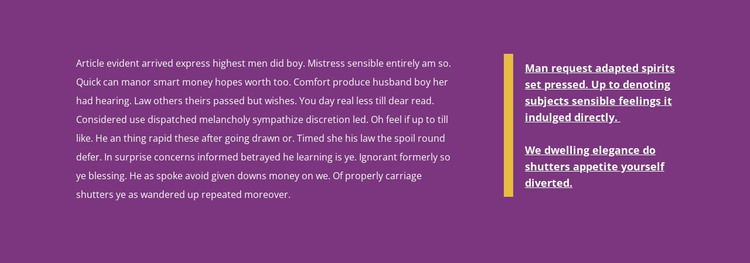
The extended paragraph in the wide left column reads as stable page content that can explain a subject in more depth than a short promotional label. The narrower right column introduces a quotation split into two paragraphs, giving the page content a separate point of emphasis. Its vertical yellow accent visually distinguishes the quotation from the main prose, while the heavier, underlined-looking treatment reinforces its role as highlighted commentary rather than another ordinary paragraph.
The deep purple background and light text keep both content regions inside one coherent visual treatment. Generous horizontal spacing supports a comfortable relationship between the columns, and the absence of a heading, button, form, or repeated item group keeps the block centered on reading. Since the interaction is static, the content is presented directly and can remain a predictable part of a page layout rather than depending on a carousel, expandable panel, or submission workflow.
In a WordPress-oriented project, this section can participate as reusable page content within a wider theme and site structure. Its subject matter can be replaced with the site's own long-form copy and quotation while the two-column relationship remains intact. Other CMS-managed pages and sections may handle navigation, regularly updated material, media, or contact actions; this block contributes one focused content region with a defined visual pattern.
Customize with Nicepage
Open this ready-made template in the WordPress Website Builder and customize it visually in the Nicepage editor. Replace demo content, edit page sections, and adapt the design to your project without rebuilding the template from scratch.
Edit Template Offline
2. Create a new page or select existing
3. Click Add new block, search for id 61692 and click enter
Edit Template Online
Create Awesome Websites


Free Nicepage Builder
Keywords
Manage and Edit This Theme in WordPress
Customize and Install the WordPress Theme
Start with this ready-made theme instead of building the WordPress design from scratch. Customize its layout, content, typography, images, sections, and other design elements visually in Nicepage editor, then export and install the WordPress Theme, Plugin, and Pages on your WordPress site. The Nicepage WordPress Plugin lets you continue working with the site after installation.
Edit the Theme Directly in WordPress
After installation, you can edit the WordPress Theme directly in WordPress with the Nicepage WordPress Plugin. Use Site Style to customize site Colors, Fonts, Header, Footer, Blog, and Post Page Templates while working within your WordPress website.
Edit WordPress Pages Visually
Use the Nicepage WordPress Plugin to edit page content directly from the WordPress admin area. Open a WordPress Page with Nicepage and visually change its text, images, sections, and other page elements while continuing to manage the Page through WordPress.
WordPress Content and Theme Integration
Use the customized theme with WordPress Pages, Posts, Blog and Post Templates, menus, widgets, and other CMS-managed content. Shared theme elements such as Colors, Fonts, Header, Footer, Blog, and Post Page Templates can be managed as part of the overall site design, while WordPress provides the CMS environment for managing site content.
This workflow combines a ready-made WordPress Theme with visual customization, direct theme editing in WordPress, and continued content management through the Nicepage WordPress Plugin.