Filled text boxes WordPress Theme


Stable Page Content With Primary and Supporting Text Roles
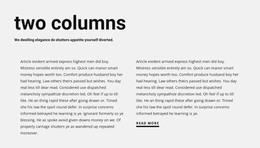
The “Network” heading and thin orange divider give the block a clear page-content identity before the two text columns begin. The left column’s bold introductory copy can carry the main explanation, while the right column’s supporting paragraph is visually separated inside a light-gray rectangular panel. This division is useful for stable informational content because it distinguishes the central passage from additional context without requiring an interactive component.
In a WordPress-managed page, the section can remain a consistent visual area for descriptive or editorial-style copy while other content grows around it. The block’s content model is intentionally focused: one heading and two text regions. That makes it suitable for a services explanation, background section, or other permanent page area when the surrounding project supplies additional page functions. The static presentation keeps both passages visible and avoids implying posts, categories, or other publishing structures inside the block.
The white background and generous horizontal spacing also make the section adaptable to a broader theme direction. A WordPress project can echo the orange accent, serif hierarchy, or gray supporting surface elsewhere while retaining this block’s specific two-column arrangement. Nicepage supports editing WordPress themes and page content through its WordPress workflow, but the practical interpretation here remains focused on the section: bold primary information at left, supporting detail at right, and a stable visual role within a managed page.
Customize with Nicepage
Open this ready-made template in the WordPress Website Builder and customize it visually in the Nicepage editor. Replace demo content, edit page sections, and adapt the design to your project without rebuilding the template from scratch.
Edit Template Offline
2. Create a new page or select existing
3. Click Add new block, search for id 767107 and click enter
Edit Template Online
Create Awesome Websites


Free Nicepage Builder
Keywords
Manage and Edit This Theme in WordPress
Customize and Install the WordPress Theme
Start with this ready-made theme instead of building the WordPress design from scratch. Customize its layout, content, typography, images, sections, and other design elements visually in Nicepage editor, then export and install the WordPress Theme, Plugin, and Pages on your WordPress site. The Nicepage WordPress Plugin lets you continue working with the site after installation.
Edit the Theme Directly in WordPress
After installation, you can edit the WordPress Theme directly in WordPress with the Nicepage WordPress Plugin. Use Site Style to customize site Colors, Fonts, Header, Footer, Blog, and Post Page Templates while working within your WordPress website.
Edit WordPress Pages Visually
Use the Nicepage WordPress Plugin to edit page content directly from the WordPress admin area. Open a WordPress Page with Nicepage and visually change its text, images, sections, and other page elements while continuing to manage the Page through WordPress.
WordPress Content and Theme Integration
Use the customized theme with WordPress Pages, Posts, Blog and Post Templates, menus, widgets, and other CMS-managed content. Shared theme elements such as Colors, Fonts, Header, Footer, Blog, and Post Page Templates can be managed as part of the overall site design, while WordPress provides the CMS environment for managing site content.
This workflow combines a ready-made WordPress Theme with visual customization, direct theme editing in WordPress, and continued content management through the Nicepage WordPress Plugin.