Core values list WordPress Theme


Stable Page Content for Three Organizational Principles
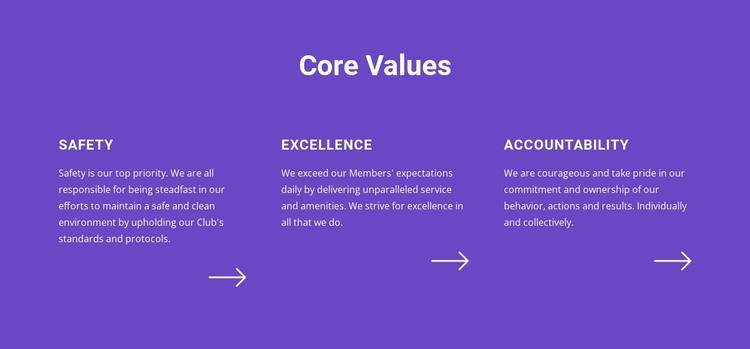
The “Core Values” heading and its three explanatory columns read as stable page content rather than a time-sensitive feed. Safety, Excellence, and Accountability each have a defined title and paragraph, so the section can preserve a consistent organizational message within a WordPress-managed page. The parallel structure also makes the content easy to scan without requiring visitors to open tabs or move through a rotating component.
The visual treatment keeps that message together. A solid purple background contains the entire section, white typography maintains contrast, and uppercase value titles create a repeated label level. The arrow motif near the bottom of each column adds a shared visual detail, helping the three value areas feel related while leaving their paragraphs individually readable. These are properties of the reusable page section, not evidence of a specific CMS element inside it.
In a WordPress-oriented project, the block could serve as a permanent values area on an About, organization, or principles page while the wider site manages other content around it. A separate section could handle services or contact, and other CMS-managed areas could support the broader publishing structure. The key WordPress interpretation is therefore page-oriented reuse: this visual section preserves a structured message that can remain consistent as the surrounding site evolves. It should be treated as content within a broader theme and page system, not as a standalone WordPress theme.
Customize with Nicepage
Open this ready-made template in the WordPress Website Builder and customize it visually in the Nicepage editor. Replace demo content, edit page sections, and adapt the design to your project without rebuilding the template from scratch.
Edit Template Offline
2. Create a new page or select existing
3. Click Add new block, search for id 3785147 and click enter
Edit Template Online
Create Awesome Websites


Free Nicepage Builder
Keywords
Manage and Edit This Theme in WordPress
Customize and Install the WordPress Theme
Start with this ready-made theme instead of building the WordPress design from scratch. Customize its layout, content, typography, images, sections, and other design elements visually in Nicepage editor, then export and install the WordPress Theme, Plugin, and Pages on your WordPress site. The Nicepage WordPress Plugin lets you continue working with the site after installation.
Edit the Theme Directly in WordPress
After installation, you can edit the WordPress Theme directly in WordPress with the Nicepage WordPress Plugin. Use Site Style to customize site Colors, Fonts, Header, Footer, Blog, and Post Page Templates while working within your WordPress website.
Edit WordPress Pages Visually
Use the Nicepage WordPress Plugin to edit page content directly from the WordPress admin area. Open a WordPress Page with Nicepage and visually change its text, images, sections, and other page elements while continuing to manage the Page through WordPress.
WordPress Content and Theme Integration
Use the customized theme with WordPress Pages, Posts, Blog and Post Templates, menus, widgets, and other CMS-managed content. Shared theme elements such as Colors, Fonts, Header, Footer, Blog, and Post Page Templates can be managed as part of the overall site design, while WordPress provides the CMS environment for managing site content.
This workflow combines a ready-made WordPress Theme with visual customization, direct theme editing in WordPress, and continued content management through the Nicepage WordPress Plugin.