Wellness starts here WordPress Theme



Edit Template Offline
2. Create new page and search for id 6560228
Edit Template Online
Create Awesome Websites


Free Nicepage Builder
Keywords
Program and Educational Content Give the Theme Reusable Page Areas
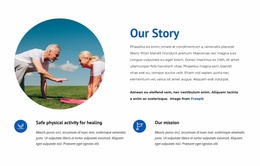
The four program cards provide a natural page-oriented starting point for the design. Yoga Break, Pilates Break, Detox, and Mental Clarity are presented as related but distinct topics, allowing a WordPress project to treat them as a coherent program area while preserving individual content emphasis. The mission section and Pilates benefits panel add more permanent informational content, giving the theme a foundation beyond a single promotional message.
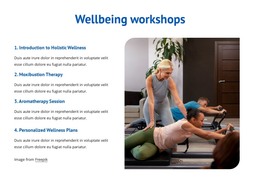
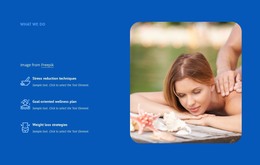
The service and treatment groups support another layer of reusable content. Meditation, Aromatherapy, Massage, and Pilates appear as featured services, while Acupuncture, Moxibustion, Acupressure, Massage, Herbal Medicine, and Reflexology form a broader integrative treatment catalog. The workshops section adds four educational offerings, including Introduction to Holistic Wellness and Personalized Wellness Plans. If a project later publishes related wellness guidance or announcements, these page areas can remain connected by the same visual system without claiming that blog or post structures already exist in the template.
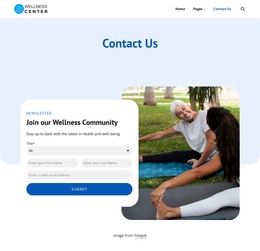
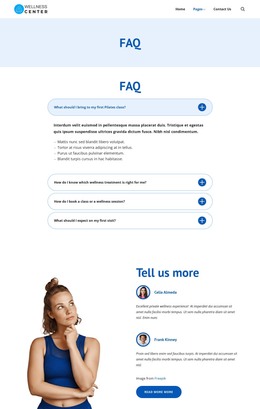
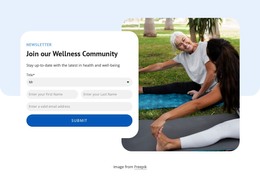
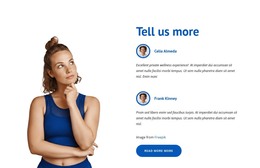
The FAQ accordion, testimonials, and newsletter form give the theme content roles beyond service description. Four questions help organize practical visitor guidance, while two testimonial entries create a personal perspective area. The subscription form creates a clear place for ongoing community communication, and the footer groups navigation, contact channels, and social links. Interpreted as a WordPress theme, the design therefore works through reusable page content and publishable subject areas, not merely through a CMS name or installation process.
Customize with Nicepage
Open this ready-made template in the WordPress Website Builder and customize it visually in the Nicepage editor. Replace demo content, edit page sections, and adapt the design to your project without rebuilding the template from scratch.
Manage and Edit This Theme in WordPress
Customize and Install the WordPress Theme
Start with this ready-made theme instead of building the WordPress design from scratch. Customize its layout, content, typography, images, sections, and other design elements visually in Nicepage editor, then export and install the WordPress Theme, Plugin, and Pages on your WordPress site. The Nicepage WordPress Plugin lets you continue working with the site after installation.
Edit the Theme Directly in WordPress
After installation, you can edit the WordPress Theme directly in WordPress with the Nicepage WordPress Plugin. Use Site Style to customize site Colors, Fonts, Header, Footer, Blog, and Post Page Templates while working within your WordPress website.
Edit WordPress Pages Visually
Use the Nicepage WordPress Plugin to edit page content directly from the WordPress admin area. Open a WordPress Page with Nicepage and visually change its text, images, sections, and other page elements while continuing to manage the Page through WordPress.
WordPress Content and Theme Integration
Use the customized theme with WordPress Pages, Posts, Blog and Post Templates, menus, widgets, and other CMS-managed content. Shared theme elements such as Colors, Fonts, Header, Footer, Blog, and Post Page Templates can be managed as part of the overall site design, while WordPress provides the CMS environment for managing site content.
This workflow combines a ready-made WordPress Theme with visual customization, direct theme editing in WordPress, and continued content management through the Nicepage WordPress Plugin.