Masters of the Court WordPress Theme

Edit Template Offline
2. Create new page and search for id 6428945
Edit Template Online
Create Awesome Websites


Free Nicepage Builder
Keywords
Service Cards and Member Stories Support a Tennis Content Structure
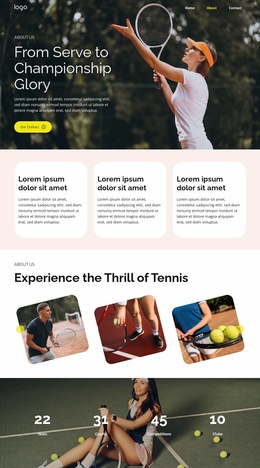
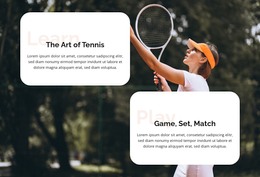
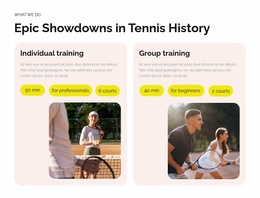
The two training cards give the design its clearest permanent content areas. Individual training and group training are separated visually and supported by descriptions, labels, images, and action pills, making them suitable starting points for page-oriented service information. Their difference is important for a WordPress interpretation because the design can preserve distinct content subjects rather than reducing the club’s offer to one repeated block.
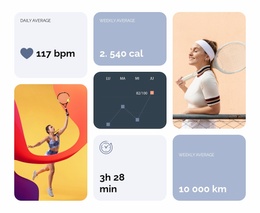
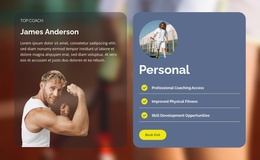
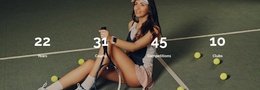
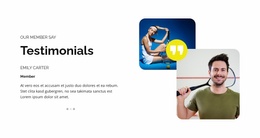
The membership benefits and testimonial section add a second content relationship. Six labeled cards explain coaching, fitness, skills, social connection, events, and year-round play, while the member testimonial introduces a personal perspective beside overlapping portraits. Together, they create a useful contrast between what the club provides and how participation may be represented through member-oriented content. The four performance figures reinforce the sports context, but they remain structural presentation elements rather than independently verified achievements.
The pricing area then gives the page a plan-comparison role. Personal and group training plans are displayed as two large cards with prices and a centered Show More action, while the Contact Us banner offers a separate response point. These page areas could fit a WordPress-managed content environment where permanent club information and later updated material share one visual direction. Nicepage documentation confirms that a WordPress site can be edited through the WordPress Plugin, but no WordPress Posts, categories, or blog structure are claimed as existing in this template.
Customize with Nicepage
Open this ready-made template in the WordPress Website Builder and customize it visually in the Nicepage editor. Replace demo content, edit page sections, and adapt the design to your project without rebuilding the template from scratch.
Manage and Edit This Theme in WordPress
Customize and Install the WordPress Theme
Start with this ready-made theme instead of building the WordPress design from scratch. Customize its layout, content, typography, images, sections, and other design elements visually in Nicepage editor, then export and install the WordPress Theme, Plugin, and Pages on your WordPress site. The Nicepage WordPress Plugin lets you continue working with the site after installation.
Edit the Theme Directly in WordPress
After installation, you can edit the WordPress Theme directly in WordPress with the Nicepage WordPress Plugin. Use Site Style to customize site Colors, Fonts, Header, Footer, Blog, and Post Page Templates while working within your WordPress website.
Edit WordPress Pages Visually
Use the Nicepage WordPress Plugin to edit page content directly from the WordPress admin area. Open a WordPress Page with Nicepage and visually change its text, images, sections, and other page elements while continuing to manage the Page through WordPress.
WordPress Content and Theme Integration
Use the customized theme with WordPress Pages, Posts, Blog and Post Templates, menus, widgets, and other CMS-managed content. Shared theme elements such as Colors, Fonts, Header, Footer, Blog, and Post Page Templates can be managed as part of the overall site design, while WordPress provides the CMS environment for managing site content.
This workflow combines a ready-made WordPress Theme with visual customization, direct theme editing in WordPress, and continued content management through the Nicepage WordPress Plugin.