Treatments and masks WordPress Theme



Right-aligned treatment content meets a layered image group
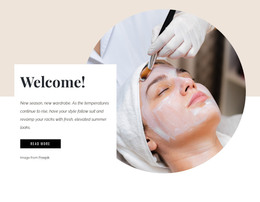
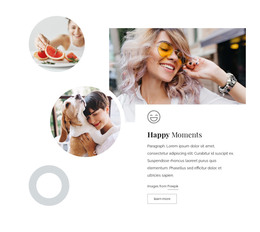
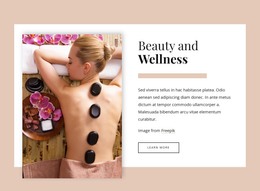
The large skincare photograph gives this section a focused subject for a WordPress-managed page, while the smaller portrait and hand-care scene broaden the visual reference to beauty treatments. Because the three images are circular and overlap on the left, they read as one coordinated content area rather than as a list of unrelated media items. That arrangement can remain a stable part of page content while other sections provide fuller descriptions, service details, or contact information.
The text group works differently from the imagery. “BEAUTY SALON” functions as a concise context label, and the treatment-focused heading supplies the main verbal entry point. The image credit line remains subordinate within the same right-aligned area. Above it, the peach circular accent adds visual separation and a warm color cue, but it does not introduce another page function. The static layout therefore depends on hierarchy, alignment, and the contrast between photographic circles and open white space.
In a WordPress-oriented project, this block can serve as permanent introductory content on a salon, treatment, or service page. Its structure is specific enough to identify the subject quickly, yet bounded enough to coexist with other CMS-managed page sections around it. The section can establish the visual direction for treatment content without being treated as a complete theme or page. Its strongest contribution is a memorable opening arrangement that connects a concise heading with visual evidence of skincare and hand care.
Customize with Nicepage
Open this ready-made template in the WordPress Website Builder and customize it visually in the Nicepage editor. Replace demo content, edit page sections, and adapt the design to your project without rebuilding the template from scratch.
Edit Template Offline
2. Create a new page or select existing
3. Click Add new block, search for id 220346 and click enter
Edit Template Online
Create Awesome Websites


Free Nicepage Builder
Keywords
Manage and Edit This Theme in WordPress
Customize and Install the WordPress Theme
Start with this ready-made theme instead of building the WordPress design from scratch. Customize its layout, content, typography, images, sections, and other design elements visually in Nicepage editor, then export and install the WordPress Theme, Plugin, and Pages on your WordPress site. The Nicepage WordPress Plugin lets you continue working with the site after installation.
Edit the Theme Directly in WordPress
After installation, you can edit the WordPress Theme directly in WordPress with the Nicepage WordPress Plugin. Use Site Style to customize site Colors, Fonts, Header, Footer, Blog, and Post Page Templates while working within your WordPress website.
Edit WordPress Pages Visually
Use the Nicepage WordPress Plugin to edit page content directly from the WordPress admin area. Open a WordPress Page with Nicepage and visually change its text, images, sections, and other page elements while continuing to manage the Page through WordPress.
WordPress Content and Theme Integration
Use the customized theme with WordPress Pages, Posts, Blog and Post Templates, menus, widgets, and other CMS-managed content. Shared theme elements such as Colors, Fonts, Header, Footer, Blog, and Post Page Templates can be managed as part of the overall site design, while WordPress provides the CMS environment for managing site content.
This workflow combines a ready-made WordPress Theme with visual customization, direct theme editing in WordPress, and continued content management through the Nicepage WordPress Plugin.