An award winning salon WordPress Theme


Ordered Treatment Information for a WordPress-Managed Page
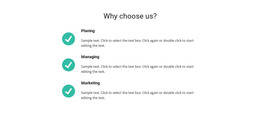
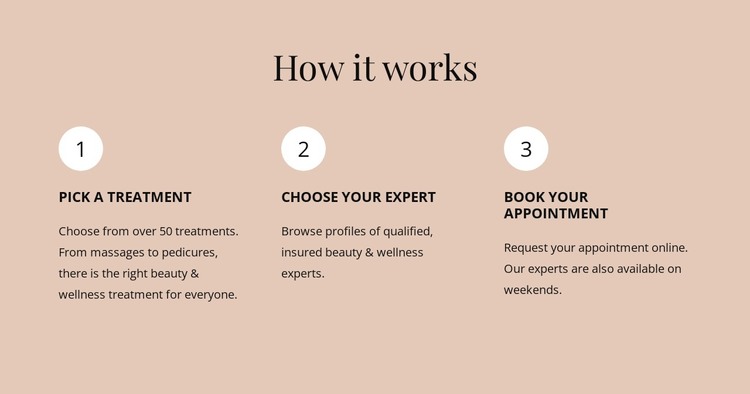
The section reads as stable page content because it explains a repeatable treatment and appointment process rather than presenting a changing list of posts. The “How it works” heading introduces the subject, and the three numbered units organize the message into “Pick a treatment,” “Choose your expert,” and “Book your appointment.” Each unit includes supporting text, giving the page enough context to explain the relationship between the stages without turning the block into a complete booking interface.
The visual structure supports that content role. Circular markers make the order immediately recognizable, while the three horizontal columns allow the stages to be scanned side by side. Left-aligned descriptions preserve readability within each column, and the centered heading separates the section label from the detailed process. Warm beige, dark text, and repeated white markers create a consistent visual container for the information.
In a WordPress-managed project, this block can sit within permanent page content for a salon, wellness service, or related appointment-led offering. Other CMS-managed areas can provide fuller treatment descriptions, updates, or contact information around it. The section’s value is its clear, reusable explanation of the customer journey: it prepares visitors to understand the next action while leaving the actual booking destination to the surrounding page.
Customize with Nicepage
Open this ready-made template in the WordPress Website Builder and customize it visually in the Nicepage editor. Replace demo content, edit page sections, and adapt the design to your project without rebuilding the template from scratch.
Edit Template Offline
2. Create a new page or select existing
3. Click Add new block, search for id 6224047 and click enter
Edit Template Online
Create Awesome Websites


Free Nicepage Builder
Keywords
Manage and Edit This Theme in WordPress
Customize and Install the WordPress Theme
Start with this ready-made theme instead of building the WordPress design from scratch. Customize its layout, content, typography, images, sections, and other design elements visually in Nicepage editor, then export and install the WordPress Theme, Plugin, and Pages on your WordPress site. The Nicepage WordPress Plugin lets you continue working with the site after installation.
Edit the Theme Directly in WordPress
After installation, you can edit the WordPress Theme directly in WordPress with the Nicepage WordPress Plugin. Use Site Style to customize site Colors, Fonts, Header, Footer, Blog, and Post Page Templates while working within your WordPress website.
Edit WordPress Pages Visually
Use the Nicepage WordPress Plugin to edit page content directly from the WordPress admin area. Open a WordPress Page with Nicepage and visually change its text, images, sections, and other page elements while continuing to manage the Page through WordPress.
WordPress Content and Theme Integration
Use the customized theme with WordPress Pages, Posts, Blog and Post Templates, menus, widgets, and other CMS-managed content. Shared theme elements such as Colors, Fonts, Header, Footer, Blog, and Post Page Templates can be managed as part of the overall site design, while WordPress provides the CMS environment for managing site content.
This workflow combines a ready-made WordPress Theme with visual customization, direct theme editing in WordPress, and continued content management through the Nicepage WordPress Plugin.