Slider projects WordPress Theme


Stable Project Content for a WordPress-Managed Page
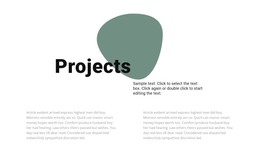
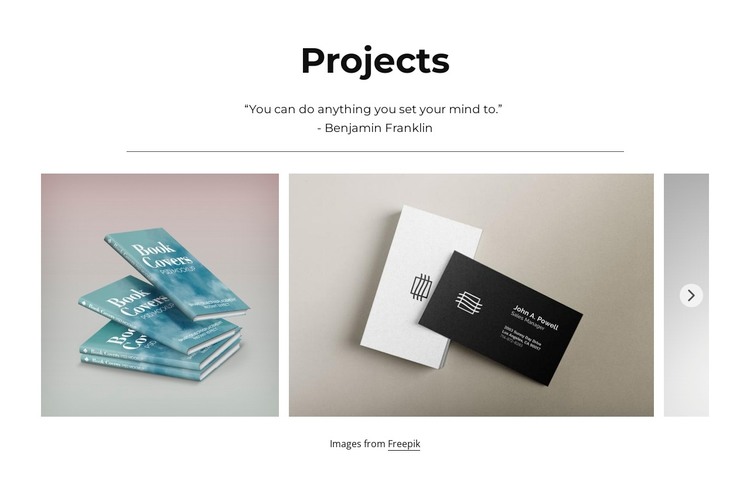
The “Projects” heading, quotation, and divider give this block the character of stable page content rather than a time-sensitive update stream. The centered introduction identifies the subject, while the six project image items provide the main visual material. Their horizontal arrangement keeps the section compact and image-led, making it suitable for a page that needs to present selected visual work without turning the block into a complete portfolio structure.
Previous and next controls connect the six images into one browsable collection. The partially visible next item reinforces that sequence, and lightbox viewing provides a focused way to inspect a chosen book-cover or business-card mockup. These relationships can remain visually consistent when the block participates in a WordPress-managed page, while surrounding content handles other page purposes. The quotation adds context to the showcase but does not replace the project imagery as the section’s main content.
A WordPress-oriented interpretation therefore centers on the block as a reusable, publishable visual region. It can support a services, studio, business, or portfolio page where project examples need a distinct place in the content hierarchy. The surrounding CMS-managed site may evolve independently, but this section retains its own heading, statement, image collection, controls, and lightbox behavior. Its value lies in presenting permanent project content through a defined visual pattern, not in functioning as a standalone theme.
Customize with Nicepage
Open this ready-made template in the WordPress Website Builder and customize it visually in the Nicepage editor. Replace demo content, edit page sections, and adapt the design to your project without rebuilding the template from scratch.
Edit Template Offline
2. Create a new page or select existing
3. Click Add new block, search for id 1638229 and click enter
Edit Template Online
Create Awesome Websites


Free Nicepage Builder
Keywords
Manage and Edit This Theme in WordPress
Customize and Install the WordPress Theme
Start with this ready-made theme instead of building the WordPress design from scratch. Customize its layout, content, typography, images, sections, and other design elements visually in Nicepage editor, then export and install the WordPress Theme, Plugin, and Pages on your WordPress site. The Nicepage WordPress Plugin lets you continue working with the site after installation.
Edit the Theme Directly in WordPress
After installation, you can edit the WordPress Theme directly in WordPress with the Nicepage WordPress Plugin. Use Site Style to customize site Colors, Fonts, Header, Footer, Blog, and Post Page Templates while working within your WordPress website.
Edit WordPress Pages Visually
Use the Nicepage WordPress Plugin to edit page content directly from the WordPress admin area. Open a WordPress Page with Nicepage and visually change its text, images, sections, and other page elements while continuing to manage the Page through WordPress.
WordPress Content and Theme Integration
Use the customized theme with WordPress Pages, Posts, Blog and Post Templates, menus, widgets, and other CMS-managed content. Shared theme elements such as Colors, Fonts, Header, Footer, Blog, and Post Page Templates can be managed as part of the overall site design, while WordPress provides the CMS environment for managing site content.
This workflow combines a ready-made WordPress Theme with visual customization, direct theme editing in WordPress, and continued content management through the Nicepage WordPress Plugin.