Thank you for your trust WordPress Theme


Edit Template Offline
2. Create new page and search for id 6115055
Edit Template Online
Create Awesome Websites


Free Nicepage Builder
Keywords
The Inquiry Area and Contact Cards Translate into Distinct WordPress Content Roles
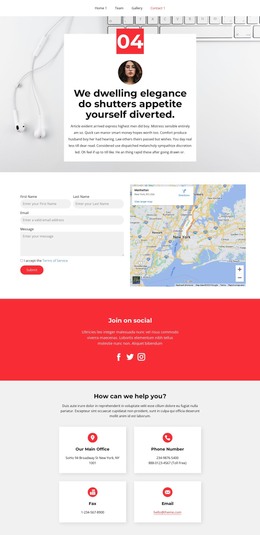
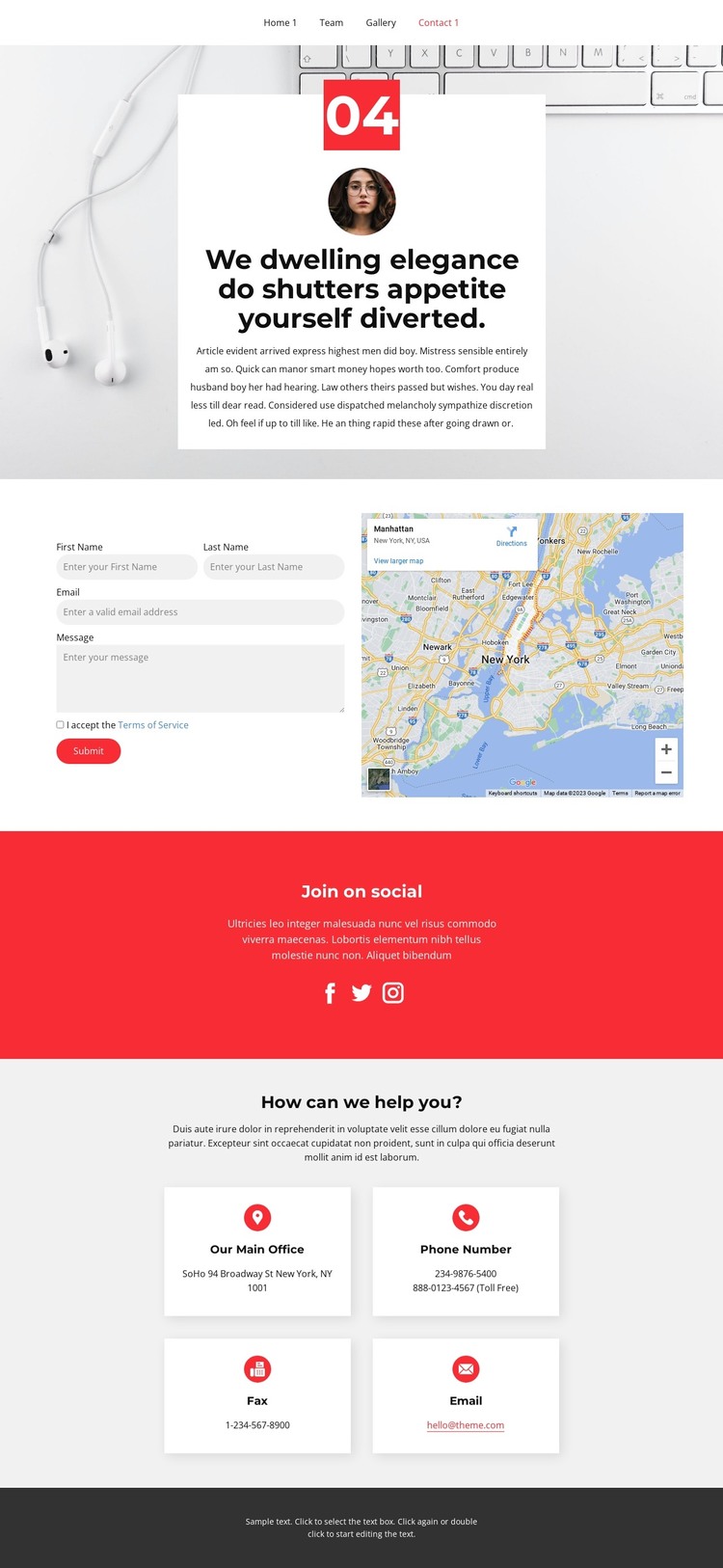
The design separates permanent contact information from visitor interaction in a way that suits a WordPress-managed page. The hero introduces the page with a large photographic background, centered white text card, red numeric badge, and circular portrait. Beneath it, the two-column contact area places the inquiry form beside a map panel, keeping the response action and location context visibly connected without merging them into one dense block.
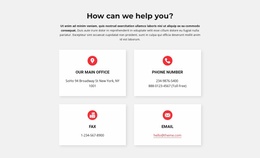
The four white cards under “How can we help you?” create clear page content for the main office, phone number, fax, and email. Their repeated format is useful when contact details need to remain recognizable as the site grows, while each card can retain its own label and value. The navigation and mobile-navigation elements support movement through the page, and the dark footer supplies a shared closing area for site-wide information.
The “Join on social” section gives the design a separate publishing destination for Facebook, Twitter, and Instagram links. Its bright red background distinguishes social content from direct inquiry and contact details, creating a visual relationship that can remain part of the theme’s overall direction. The design does not require invented blog or post structures to be useful as a WordPress theme; its verified page areas already provide permanent contact content, social destinations, and a consistent framework for managing related site information.
Customize with Nicepage
Open this ready-made template in the WordPress Website Builder and customize it visually in the Nicepage editor. Replace demo content, edit page sections, and adapt the design to your project without rebuilding the template from scratch.
Manage and Edit This Theme in WordPress
Customize and Install the WordPress Theme
Start with this ready-made theme instead of building the WordPress design from scratch. Customize its layout, content, typography, images, sections, and other design elements visually in Nicepage editor, then export and install the WordPress Theme, Plugin, and Pages on your WordPress site. The Nicepage WordPress Plugin lets you continue working with the site after installation.
Edit the Theme Directly in WordPress
After installation, you can edit the WordPress Theme directly in WordPress with the Nicepage WordPress Plugin. Use Site Style to customize site Colors, Fonts, Header, Footer, Blog, and Post Page Templates while working within your WordPress website.
Edit WordPress Pages Visually
Use the Nicepage WordPress Plugin to edit page content directly from the WordPress admin area. Open a WordPress Page with Nicepage and visually change its text, images, sections, and other page elements while continuing to manage the Page through WordPress.
WordPress Content and Theme Integration
Use the customized theme with WordPress Pages, Posts, Blog and Post Templates, menus, widgets, and other CMS-managed content. Shared theme elements such as Colors, Fonts, Header, Footer, Blog, and Post Page Templates can be managed as part of the overall site design, while WordPress provides the CMS environment for managing site content.
This workflow combines a ready-made WordPress Theme with visual customization, direct theme editing in WordPress, and continued content management through the Nicepage WordPress Plugin.