Setting up all processes WordPress Theme



Edit Template Offline
2. Create new page and search for id 6118722
Edit Template Online
Create Awesome Websites


Free Nicepage Builder
Keywords
Plan cards and recurring content suit a WordPress-managed theme
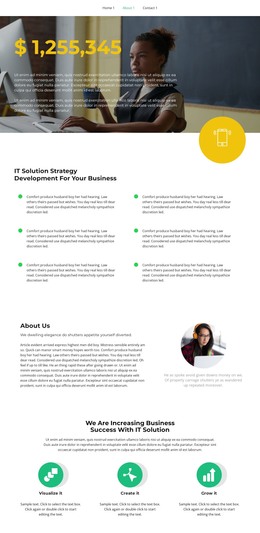
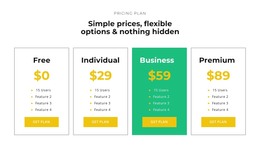
The six-item strategy section provides page-oriented content for explaining the primary IT offering, while the four plan cards create a separate presentation for service choices. Free, Individual, Business, and Premium are shown as named options with feature lists and Get plan actions, so the design already distinguishes informational content from selectable commercial content. That separation can be useful in a WordPress environment where permanent page sections may later be combined with additional managed content without losing the visual relationship between the offer and its plans.
The design also contains several repeatable content patterns. Two team profiles pair circular portraits with biographical copy and social links, and four testimonial cards present customer-oriented information in alternating white and green treatments. A second testimonial area uses a horizontal carousel to emphasize one statement at a time. The nine-image portfolio gallery adds a different kind of recurring content, centered on visual work rather than written proof. These areas can support page content that grows over time, but the sample names, quotes, statistics, and other demo values should be replaced with verified material.
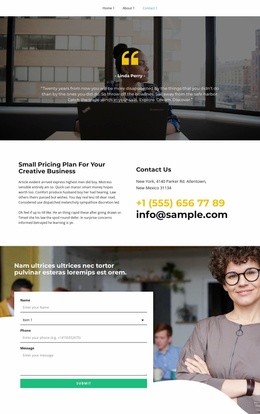
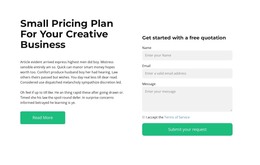
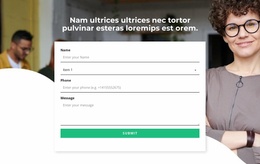
The three-question FAQ and the final inquiry form give the page explanatory and contact-oriented roles. Four counters provide a compact summary layer, while navigation and the dark footer establish shared site elements. Together, the page content, repeated cards, gallery, questions, and inquiry area offer a coherent visual basis for a WordPress theme without claiming that blog posts, categories, or other CMS structures already exist in this specific design.
Customize with Nicepage
Open this ready-made template in the WordPress Website Builder and customize it visually in the Nicepage editor. Replace demo content, edit page sections, and adapt the design to your project without rebuilding the template from scratch.
Manage and Edit This Theme in WordPress
Customize and Install the WordPress Theme
Start with this ready-made theme instead of building the WordPress design from scratch. Customize its layout, content, typography, images, sections, and other design elements visually in Nicepage editor, then export and install the WordPress Theme, Plugin, and Pages on your WordPress site. The Nicepage WordPress Plugin lets you continue working with the site after installation.
Edit the Theme Directly in WordPress
After installation, you can edit the WordPress Theme directly in WordPress with the Nicepage WordPress Plugin. Use Site Style to customize site Colors, Fonts, Header, Footer, Blog, and Post Page Templates while working within your WordPress website.
Edit WordPress Pages Visually
Use the Nicepage WordPress Plugin to edit page content directly from the WordPress admin area. Open a WordPress Page with Nicepage and visually change its text, images, sections, and other page elements while continuing to manage the Page through WordPress.
WordPress Content and Theme Integration
Use the customized theme with WordPress Pages, Posts, Blog and Post Templates, menus, widgets, and other CMS-managed content. Shared theme elements such as Colors, Fonts, Header, Footer, Blog, and Post Page Templates can be managed as part of the overall site design, while WordPress provides the CMS environment for managing site content.
This workflow combines a ready-made WordPress Theme with visual customization, direct theme editing in WordPress, and continued content management through the Nicepage WordPress Plugin.