Creating products WordPress Theme


Gallery Content That Fits a WordPress Page Region
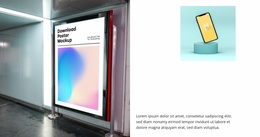
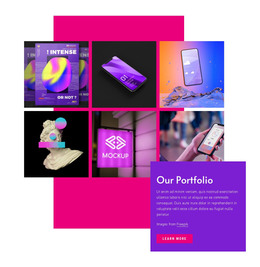
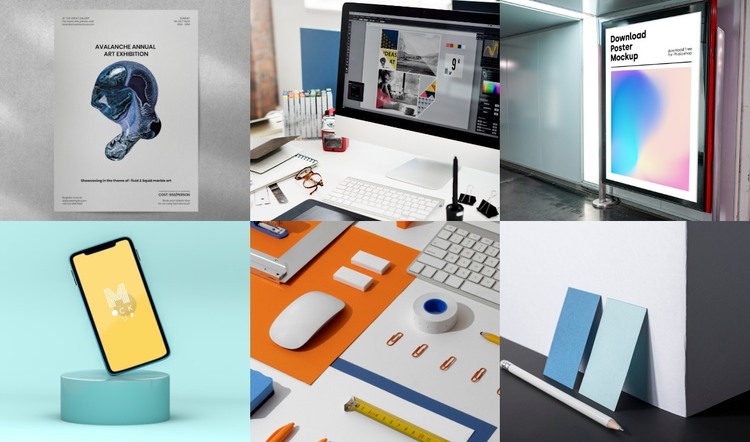
The six-image gallery reads as stable visual page content rather than as a time-based article stream. Posters, a computer-based design workspace, a digital display poster, a smartphone mockup, stationery, and geometric product-style compositions can remain together as one curated showcase, while the three-column, two-row arrangement gives that content a consistent presentation. This makes the block suitable for a WordPress-managed page where a visual portfolio or project area needs to sit beside other content.
The gallery's repeated structure is easy to recognize: six rectangular tiles share comparable dimensions, consistent cropping, and minimal visible spacing. Cool cyan, blue, white, gray, and orange tones connect the varied imagery, so the section retains a unified appearance even as individual examples change. Hover zoom provides an immediate way to focus on a tile, and lightbox viewing supports a larger inspection state without removing the gallery's compact role from the page.
Within a WordPress-oriented project, the surrounding site can manage broader pages and publishable content while this block remains a dedicated visual section. Its value comes from the clear relationship between the six image items and their shared layout, not from assuming blog, category, or post structures inside the gallery. That separation keeps the block reusable while allowing the wider page to evolve around it.
Customize with Nicepage
Open this ready-made template in the WordPress Website Builder and customize it visually in the Nicepage editor. Replace demo content, edit page sections, and adapt the design to your project without rebuilding the template from scratch.
Edit Template Offline
2. Create a new page or select existing
3. Click Add new block, search for id 6328883 and click enter
Edit Template Online
Create Awesome Websites


Free Nicepage Builder
Keywords
Manage and Edit This Theme in WordPress
Customize and Install the WordPress Theme
Start with this ready-made theme instead of building the WordPress design from scratch. Customize its layout, content, typography, images, sections, and other design elements visually in Nicepage editor, then export and install the WordPress Theme, Plugin, and Pages on your WordPress site. The Nicepage WordPress Plugin lets you continue working with the site after installation.
Edit the Theme Directly in WordPress
After installation, you can edit the WordPress Theme directly in WordPress with the Nicepage WordPress Plugin. Use Site Style to customize site Colors, Fonts, Header, Footer, Blog, and Post Page Templates while working within your WordPress website.
Edit WordPress Pages Visually
Use the Nicepage WordPress Plugin to edit page content directly from the WordPress admin area. Open a WordPress Page with Nicepage and visually change its text, images, sections, and other page elements while continuing to manage the Page through WordPress.
WordPress Content and Theme Integration
Use the customized theme with WordPress Pages, Posts, Blog and Post Templates, menus, widgets, and other CMS-managed content. Shared theme elements such as Colors, Fonts, Header, Footer, Blog, and Post Page Templates can be managed as part of the overall site design, while WordPress provides the CMS environment for managing site content.
This workflow combines a ready-made WordPress Theme with visual customization, direct theme editing in WordPress, and continued content management through the Nicepage WordPress Plugin.