We are an elite law firm WordPress Theme



Edit Template Offline
2. Create new page and search for id 6110139
Edit Template Online
Create Awesome Websites


Free Nicepage Builder
Keywords
Six Practice Areas Create a Clear WordPress Content Framework
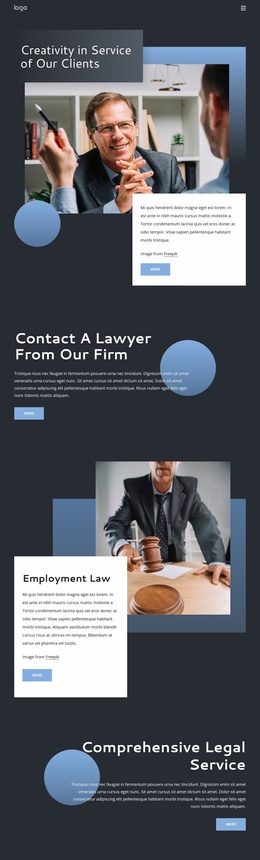
The six named service categories give the design a strong set of permanent page-content areas: banking and finance, capital markets, compliance, mobility and transport, employment and labor, and restructuring. Their repeated arrangement makes the practice areas easy to distinguish while keeping them within one shared visual system. For a WordPress project, this organization can support page-oriented legal content without claiming that specific WordPress pages or posts already exist in the template.
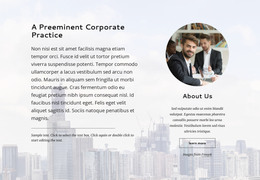
The surrounding sections add other durable content relationships. “Vision, culture and people” presents organizational information through two numbered image-and-text panels, while “Make legal better” divides the firm story into What We Do, Who We Are, and How We Differ. The global tiles introduce finance awards, life sciences and healthcare, responsible business, and recruitment themes. These areas could be maintained as firm, industry, responsibility, or careers content, while the three testimonial-style cards provide a separate proof-oriented section.
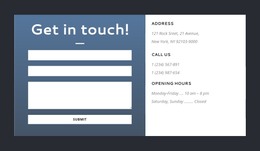
The closing inquiry area gives the page a practical contact endpoint, combining a form with address, telephone, and opening-hours information. Navigation and mobile navigation can connect these content areas as the site develops. If the project later adds regularly updated announcements or articles, they can be interpreted alongside the existing permanent sections, while the dark backgrounds, blue accents, layered cards, and business photography preserve the theme’s visual continuity.
Customize with Nicepage
Open this ready-made template in the WordPress Website Builder and customize it visually in the Nicepage editor. Replace demo content, edit page sections, and adapt the design to your project without rebuilding the template from scratch.
Manage and Edit This Theme in WordPress
Customize and Install the WordPress Theme
Start with this ready-made theme instead of building the WordPress design from scratch. Customize its layout, content, typography, images, sections, and other design elements visually in Nicepage editor, then export and install the WordPress Theme, Plugin, and Pages on your WordPress site. The Nicepage WordPress Plugin lets you continue working with the site after installation.
Edit the Theme Directly in WordPress
After installation, you can edit the WordPress Theme directly in WordPress with the Nicepage WordPress Plugin. Use Site Style to customize site Colors, Fonts, Header, Footer, Blog, and Post Page Templates while working within your WordPress website.
Edit WordPress Pages Visually
Use the Nicepage WordPress Plugin to edit page content directly from the WordPress admin area. Open a WordPress Page with Nicepage and visually change its text, images, sections, and other page elements while continuing to manage the Page through WordPress.
WordPress Content and Theme Integration
Use the customized theme with WordPress Pages, Posts, Blog and Post Templates, menus, widgets, and other CMS-managed content. Shared theme elements such as Colors, Fonts, Header, Footer, Blog, and Post Page Templates can be managed as part of the overall site design, while WordPress provides the CMS environment for managing site content.
This workflow combines a ready-made WordPress Theme with visual customization, direct theme editing in WordPress, and continued content management through the Nicepage WordPress Plugin.