Market Trends WordPress Theme


Edit Template Offline
2. Create new page and search for id 6397103
Edit Template Online
Create Awesome Websites


Free Nicepage Builder
Keywords
Capability Tabs and Editorial Content Share One Visual System
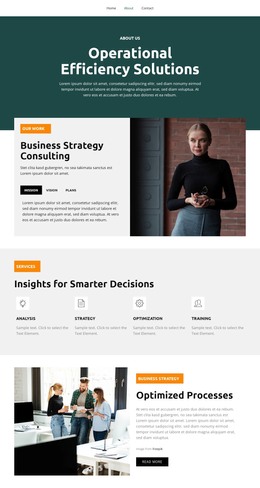
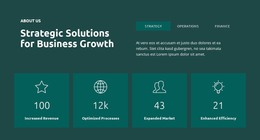
The Strategy, Operations, and Finance tabs give the design three clearly separated capability areas that can serve as page-oriented consulting content in a WordPress project. They are more specific than the opening Business Growth statement, so each category can be developed or revised while retaining the same orange, charcoal, white, and pale gray visual direction. The Market Trends and Leadership Insights sections provide additional permanent content areas for strategic and process-focused explanations.
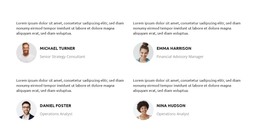
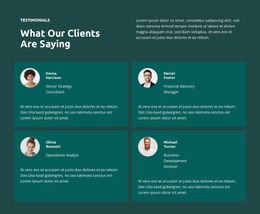
Other repeated regions suggest where ongoing or reusable content could fit naturally. The four testimonial profiles create a structured proof area, the staff mosaic presents people-related information, and the four-image gallery supplies a visual content region. The three-question Success Blueprint accordion contains another bounded information group. These are structural facts about the design; the sample names, metrics, and placeholder answers should not be treated as verified company content.
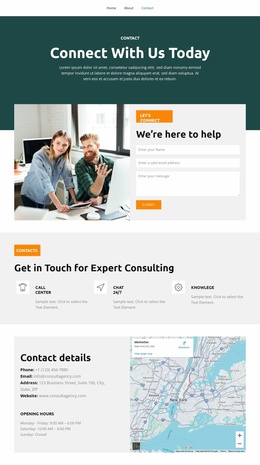
The two contact forms and shared navigation context keep response content connected to the informational sections. That relationship makes the design suitable for a WordPress-oriented theme interpretation in which permanent consulting content and future editorial material can remain visually coordinated. The WordPress value is not simply the CMS label; it is the way the page divides capabilities, people, proof, questions, and contact into reusable content areas without losing the established design character.
Customize with Nicepage
Open this ready-made template in the WordPress Website Builder and customize it visually in the Nicepage editor. Replace demo content, edit page sections, and adapt the design to your project without rebuilding the template from scratch.
Manage and Edit This Theme in WordPress
Customize and Install the WordPress Theme
Start with this ready-made theme instead of building the WordPress design from scratch. Customize its layout, content, typography, images, sections, and other design elements visually in Nicepage editor, then export and install the WordPress Theme, Plugin, and Pages on your WordPress site. The Nicepage WordPress Plugin lets you continue working with the site after installation.
Edit the Theme Directly in WordPress
After installation, you can edit the WordPress Theme directly in WordPress with the Nicepage WordPress Plugin. Use Site Style to customize site Colors, Fonts, Header, Footer, Blog, and Post Page Templates while working within your WordPress website.
Edit WordPress Pages Visually
Use the Nicepage WordPress Plugin to edit page content directly from the WordPress admin area. Open a WordPress Page with Nicepage and visually change its text, images, sections, and other page elements while continuing to manage the Page through WordPress.
WordPress Content and Theme Integration
Use the customized theme with WordPress Pages, Posts, Blog and Post Templates, menus, widgets, and other CMS-managed content. Shared theme elements such as Colors, Fonts, Header, Footer, Blog, and Post Page Templates can be managed as part of the overall site design, while WordPress provides the CMS environment for managing site content.
This workflow combines a ready-made WordPress Theme with visual customization, direct theme editing in WordPress, and continued content management through the Nicepage WordPress Plugin.