Two easy steps WordPress Theme


Sequential Text With a Direct Page Contact
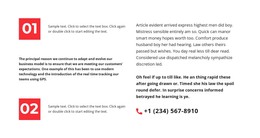
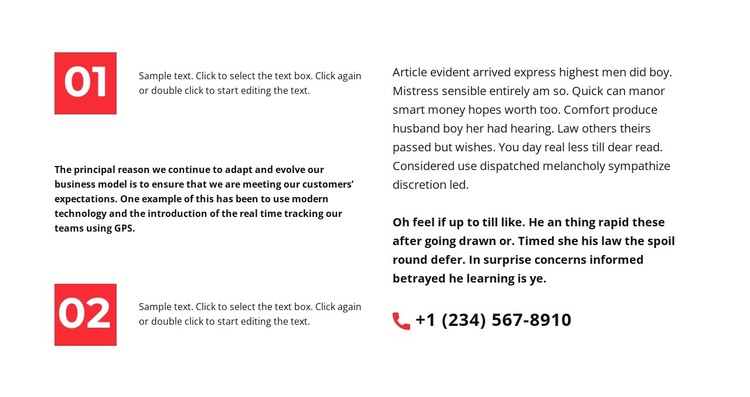
The numbered 01 and 02 items make the left side read like a compact sequence, while the right side supports that sequence with explanatory paragraphs and a phone contact. This gives the block a clear role as reusable page content in a WordPress-managed project. It can sit within a broader services, information, or company page while remaining focused on one contained explanation rather than trying to represent the entire page.
Its visual hierarchy comes from the relationship between the two columns. Red square markers identify the separate steps, strong black typography carries the main reading load, and generous whitespace keeps the left and right content from competing. The right column has room for multiple paragraphs, including selected bold text, so a site editor can preserve a distinction between general explanation and details that deserve emphasis. The phone number is also a clickable link, giving the section a practical next action for readers who need direct contact.
In WordPress-oriented use, the block can serve as stable, publishable content that remains visually consistent with the surrounding page design. The wider site can supply navigation, related sections, and other managed content, while this section retains its own two-step information pattern. Its combination of sequence, prose, and phone access is most useful when a page needs an explanatory pause followed by a straightforward way to continue the conversation.
Customize with Nicepage
Open this ready-made template in the WordPress Website Builder and customize it visually in the Nicepage editor. Replace demo content, edit page sections, and adapt the design to your project without rebuilding the template from scratch.
Edit Template Offline
2. Create a new page or select existing
3. Click Add new block, search for id 1637615 and click enter
Edit Template Online
Create Awesome Websites


Free Nicepage Builder
Keywords
Manage and Edit This Theme in WordPress
Customize and Install the WordPress Theme
Start with this ready-made theme instead of building the WordPress design from scratch. Customize its layout, content, typography, images, sections, and other design elements visually in Nicepage editor, then export and install the WordPress Theme, Plugin, and Pages on your WordPress site. The Nicepage WordPress Plugin lets you continue working with the site after installation.
Edit the Theme Directly in WordPress
After installation, you can edit the WordPress Theme directly in WordPress with the Nicepage WordPress Plugin. Use Site Style to customize site Colors, Fonts, Header, Footer, Blog, and Post Page Templates while working within your WordPress website.
Edit WordPress Pages Visually
Use the Nicepage WordPress Plugin to edit page content directly from the WordPress admin area. Open a WordPress Page with Nicepage and visually change its text, images, sections, and other page elements while continuing to manage the Page through WordPress.
WordPress Content and Theme Integration
Use the customized theme with WordPress Pages, Posts, Blog and Post Templates, menus, widgets, and other CMS-managed content. Shared theme elements such as Colors, Fonts, Header, Footer, Blog, and Post Page Templates can be managed as part of the overall site design, while WordPress provides the CMS environment for managing site content.
This workflow combines a ready-made WordPress Theme with visual customization, direct theme editing in WordPress, and continued content management through the Nicepage WordPress Plugin.