Call me or write WordPress Theme


Stable service information sits beside publishable contact content
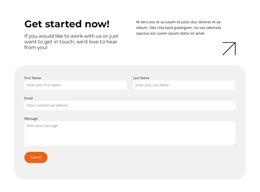
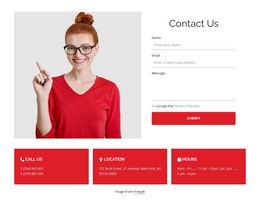
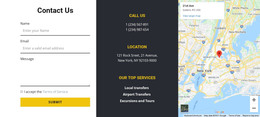
The section separates durable contact information from the form used to collect an inquiry. On the left, the CALL US and LOCATION groups present two telephone numbers and the displayed New York, NY location, while OUR TOP SERVICES lists Local transfers, Airport Transfers, and Excursions and Tours. On the right, contact and message inputs lead to terms acceptance and the Submit button. These content roles fit naturally together as a stable contact area within a WordPress-managed page.
The five social media icons beneath the form provide a separate set of links, keeping them visually distinct from the response controls. The muted blue-gray background, white typography, and outlined fields preserve the block's visual identity when the surrounding project adds other page content. The service wording can be maintained as page information, while the form remains the practical route for visitor inquiries.
This interpretation emphasizes permanent, reusable page content rather than editorial publishing behavior. A wider WordPress-oriented site can place this section alongside additional service or business information, with other content areas handling their own roles. The block contributes a recognizable contact region whose two-column structure keeps context visible beside the action.
Customize with Nicepage
Open this ready-made template in the WordPress Website Builder and customize it visually in the Nicepage editor. Replace demo content, edit page sections, and adapt the design to your project without rebuilding the template from scratch.
Edit Template Offline
2. Create a new page or select existing
3. Click Add new block, search for id 400426 and click enter
Edit Template Online
Create Awesome Websites


Free Nicepage Builder
Keywords
Manage and Edit This Theme in WordPress
Customize and Install the WordPress Theme
Start with this ready-made theme instead of building the WordPress design from scratch. Customize its layout, content, typography, images, sections, and other design elements visually in Nicepage editor, then export and install the WordPress Theme, Plugin, and Pages on your WordPress site. The Nicepage WordPress Plugin lets you continue working with the site after installation.
Edit the Theme Directly in WordPress
After installation, you can edit the WordPress Theme directly in WordPress with the Nicepage WordPress Plugin. Use Site Style to customize site Colors, Fonts, Header, Footer, Blog, and Post Page Templates while working within your WordPress website.
Edit WordPress Pages Visually
Use the Nicepage WordPress Plugin to edit page content directly from the WordPress admin area. Open a WordPress Page with Nicepage and visually change its text, images, sections, and other page elements while continuing to manage the Page through WordPress.
WordPress Content and Theme Integration
Use the customized theme with WordPress Pages, Posts, Blog and Post Templates, menus, widgets, and other CMS-managed content. Shared theme elements such as Colors, Fonts, Header, Footer, Blog, and Post Page Templates can be managed as part of the overall site design, while WordPress provides the CMS environment for managing site content.
This workflow combines a ready-made WordPress Theme with visual customization, direct theme editing in WordPress, and continued content management through the Nicepage WordPress Plugin.