Green details in home WordPress Theme


Edit Template Offline
2. Create new page and search for id 151227
Edit Template Online
Create Awesome Websites


Free Nicepage Builder
Keywords
Editorial Plant Topics Fit the Theme’s Reusable Content Areas
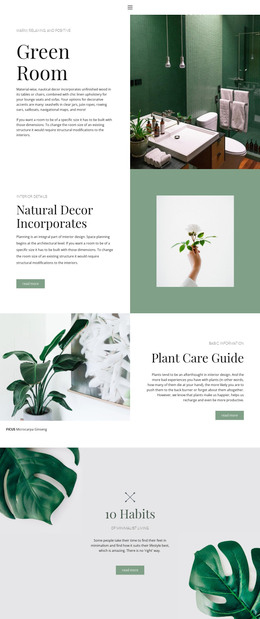
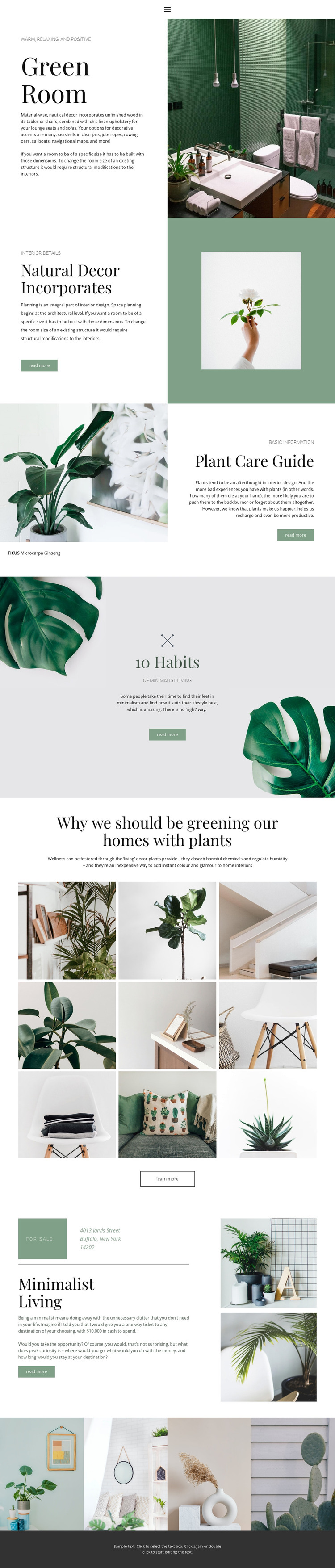
The page divides its subject into content areas that can translate naturally into a WordPress-managed editorial environment. Green Room provides a page-oriented introduction to the interior theme, while Natural Decor Incorporates and Plant Care Guide offer separate subjects for explanatory content. The FICUS Microcarpa Ginseng label gives the care section a specific editorial focus without requiring the template to claim that posts, categories, or a blog already exist.
The nine-image arrangement and four-image strip add visual areas that can support project, gallery, or inspiration content while remaining connected to the same design character. The 10 Habits of Minimalist Living feature broadens the subject into a lifestyle article direction, and the repeated read-more or learn-more actions can connect summaries with fuller content when the project supplies it. Navigation and mobile navigation provide the site-level frame, while the dark footer can remain a shared visual endpoint. Nicepage documentation confirms that the WordPress Plugin can be used to edit page content in WordPress, but the template-specific interpretation comes from its combination of permanent-looking interior sections, focused plant guidance, lifestyle topics, and image collections. This makes the design suitable for a WordPress project that needs editorial content and visual inspiration to remain within one restrained botanical system.
Customize with Nicepage
Open this ready-made template in the WordPress Website Builder and customize it visually in the Nicepage editor. Replace demo content, edit page sections, and adapt the design to your project without rebuilding the template from scratch.
Manage and Edit This Theme in WordPress
Customize and Install the WordPress Theme
Start with this ready-made theme instead of building the WordPress design from scratch. Customize its layout, content, typography, images, sections, and other design elements visually in Nicepage editor, then export and install the WordPress Theme, Plugin, and Pages on your WordPress site. The Nicepage WordPress Plugin lets you continue working with the site after installation.
Edit the Theme Directly in WordPress
After installation, you can edit the WordPress Theme directly in WordPress with the Nicepage WordPress Plugin. Use Site Style to customize site Colors, Fonts, Header, Footer, Blog, and Post Page Templates while working within your WordPress website.
Edit WordPress Pages Visually
Use the Nicepage WordPress Plugin to edit page content directly from the WordPress admin area. Open a WordPress Page with Nicepage and visually change its text, images, sections, and other page elements while continuing to manage the Page through WordPress.
WordPress Content and Theme Integration
Use the customized theme with WordPress Pages, Posts, Blog and Post Templates, menus, widgets, and other CMS-managed content. Shared theme elements such as Colors, Fonts, Header, Footer, Blog, and Post Page Templates can be managed as part of the overall site design, while WordPress provides the CMS environment for managing site content.
This workflow combines a ready-made WordPress Theme with visual customization, direct theme editing in WordPress, and continued content management through the Nicepage WordPress Plugin.