Interior innovations WordPress Theme


Edit Template Offline
2. Create new page and search for id 12474
Edit Template Online
Create Awesome Websites


Free Nicepage Builder
Keywords
Project and Capability Content Fit a WordPress Page Structure
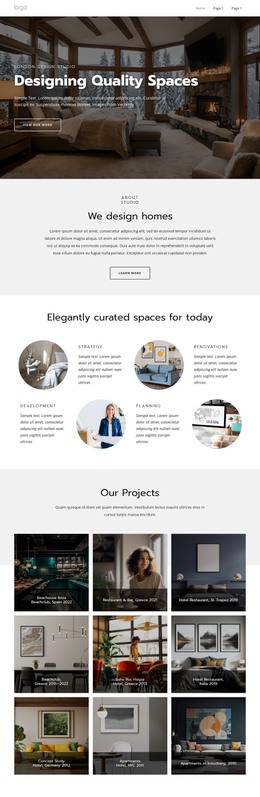
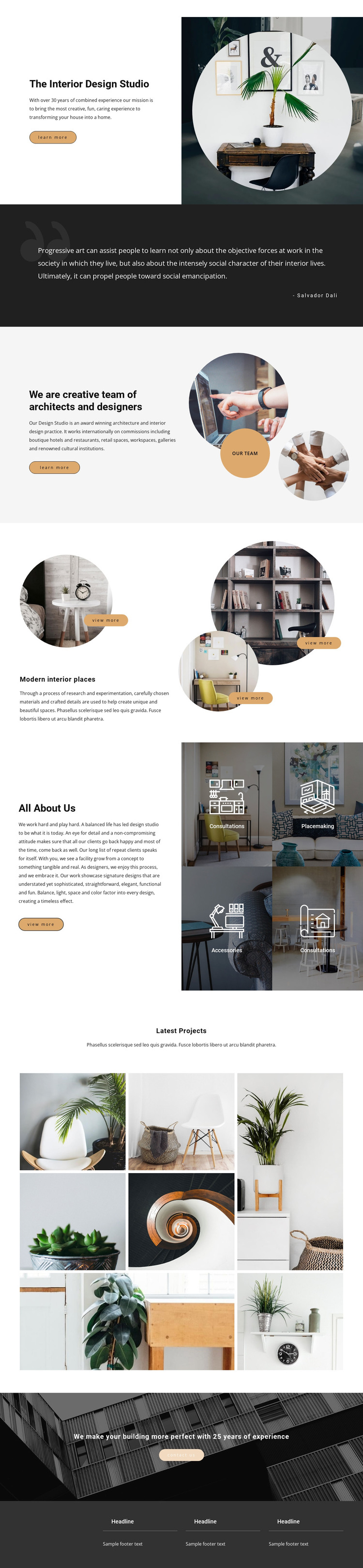
The page separates several kinds of permanent content that can work naturally within a WordPress-oriented site. The opening studio introduction provides page-level identity, while the architects-and-designers section supplies a distinct people and background area. That separation is useful when the project needs to maintain a stable studio page while expanding related content around team members, services, or selected work without confusing those roles.
The three circular Modern interior places images can be interpreted as featured project content, each supported by its own view-more action. The four capability tiles provide a different content relationship: consultations, placemaking, and accessories describe the studio’s areas of work rather than individual projects. Keeping those groups distinct helps a WordPress site preserve a consistent visual system while content editors update descriptions, images, or linked pages over time. The seven-image Latest Projects gallery then acts as a concentrated portfolio area for visual project material.
The final experience statement and Contact us button anchor the page in a practical inquiry context, while the dark footer offers shared information that can remain recognizable across related site pages. Nicepage documentation confirms that WordPress supports visual editing through the Nicepage WordPress Plugin, but the template analysis itself only verifies the page structure described here. Its value as a WordPress theme therefore comes from the way studio, team, capability, project, and contact content are already divided into coherent page regions, not from claiming that WordPress posts or categories are present in the source design.
Customize with Nicepage
Open this ready-made template in the WordPress Website Builder and customize it visually in the Nicepage editor. Replace demo content, edit page sections, and adapt the design to your project without rebuilding the template from scratch.
Manage and Edit This Theme in WordPress
Customize and Install the WordPress Theme
Start with this ready-made theme instead of building the WordPress design from scratch. Customize its layout, content, typography, images, sections, and other design elements visually in Nicepage editor, then export and install the WordPress Theme, Plugin, and Pages on your WordPress site. The Nicepage WordPress Plugin lets you continue working with the site after installation.
Edit the Theme Directly in WordPress
After installation, you can edit the WordPress Theme directly in WordPress with the Nicepage WordPress Plugin. Use Site Style to customize site Colors, Fonts, Header, Footer, Blog, and Post Page Templates while working within your WordPress website.
Edit WordPress Pages Visually
Use the Nicepage WordPress Plugin to edit page content directly from the WordPress admin area. Open a WordPress Page with Nicepage and visually change its text, images, sections, and other page elements while continuing to manage the Page through WordPress.
WordPress Content and Theme Integration
Use the customized theme with WordPress Pages, Posts, Blog and Post Templates, menus, widgets, and other CMS-managed content. Shared theme elements such as Colors, Fonts, Header, Footer, Blog, and Post Page Templates can be managed as part of the overall site design, while WordPress provides the CMS environment for managing site content.
This workflow combines a ready-made WordPress Theme with visual customization, direct theme editing in WordPress, and continued content management through the Nicepage WordPress Plugin.