Welcome to interior studio WordPress Theme


Edit Template Offline
2. Create new page and search for id 16209
Edit Template Online
Create Awesome Websites


Free Nicepage Builder
Keywords
Service categories and visual project content suit managed WordPress pages
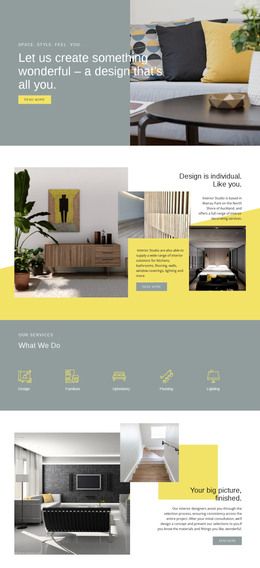
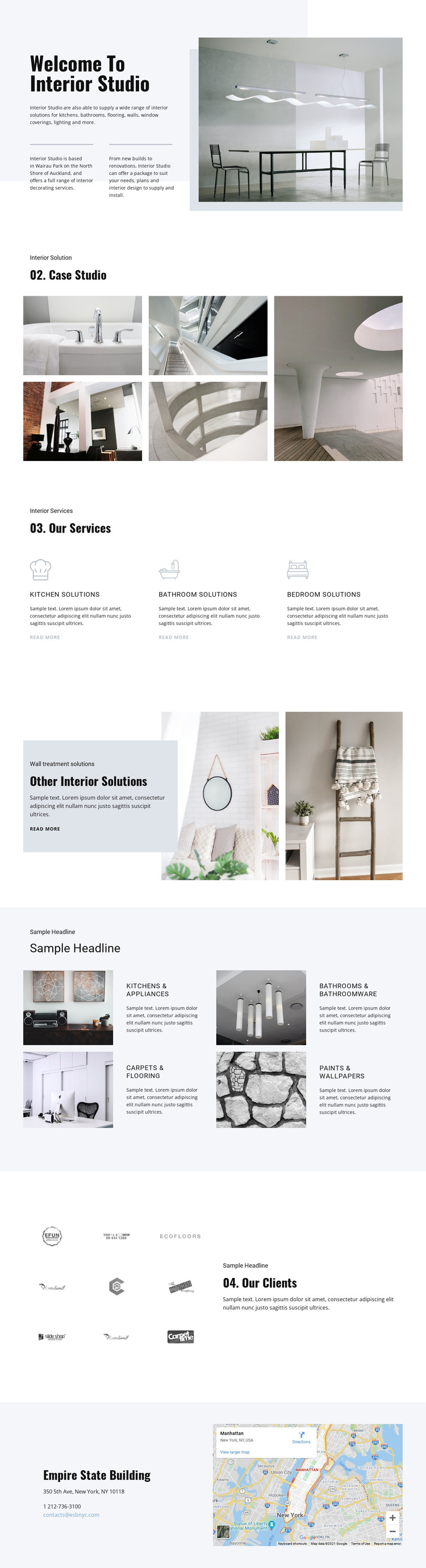
The page separates several kinds of content that can remain visually coordinated in a WordPress-managed site. The opening section functions as permanent studio information, combining the Interior Studio heading, service-oriented introduction, Auckland-area context, and a large interior image. The five-image Case Studio section adds a distinct visual project area, while the three peer service items define kitchen, bathroom, and bedroom solutions. Together, these parts give page-oriented content a clear relationship between who the studio is, what it presents, and which services it offers.
The repeated solution rows provide another useful content pattern. Kitchens and appliances, bathrooms and bathroomware, carpets and flooring, and paints and wallpapers are presented as separate image-and-text items, so each category has its own place without breaking the overall design direction. The client-logo matrix can sit alongside that informational content as a separate relationship-focused area, while the final contact section keeps location details, phone and email channels, and the map together as practical site information. These are concrete content zones, not evidence that posts, categories, or blog structures already exist.
For a WordPress project, the main advantage is the consistent visual frame around these different page areas. Permanent studio and service information can retain the established hierarchy, while additional publishable material could be introduced later where the site requires it. The theme interpretation therefore centers on managing varied interior content inside one recognizable design system, rather than on changing the page into a generic blog or CMS tutorial.
Customize with Nicepage
Open this ready-made template in the WordPress Website Builder and customize it visually in the Nicepage editor. Replace demo content, edit page sections, and adapt the design to your project without rebuilding the template from scratch.
Manage and Edit This Theme in WordPress
Customize and Install the WordPress Theme
Start with this ready-made theme instead of building the WordPress design from scratch. Customize its layout, content, typography, images, sections, and other design elements visually in Nicepage editor, then export and install the WordPress Theme, Plugin, and Pages on your WordPress site. The Nicepage WordPress Plugin lets you continue working with the site after installation.
Edit the Theme Directly in WordPress
After installation, you can edit the WordPress Theme directly in WordPress with the Nicepage WordPress Plugin. Use Site Style to customize site Colors, Fonts, Header, Footer, Blog, and Post Page Templates while working within your WordPress website.
Edit WordPress Pages Visually
Use the Nicepage WordPress Plugin to edit page content directly from the WordPress admin area. Open a WordPress Page with Nicepage and visually change its text, images, sections, and other page elements while continuing to manage the Page through WordPress.
WordPress Content and Theme Integration
Use the customized theme with WordPress Pages, Posts, Blog and Post Templates, menus, widgets, and other CMS-managed content. Shared theme elements such as Colors, Fonts, Header, Footer, Blog, and Post Page Templates can be managed as part of the overall site design, while WordPress provides the CMS environment for managing site content.
This workflow combines a ready-made WordPress Theme with visual customization, direct theme editing in WordPress, and continued content management through the Nicepage WordPress Plugin.