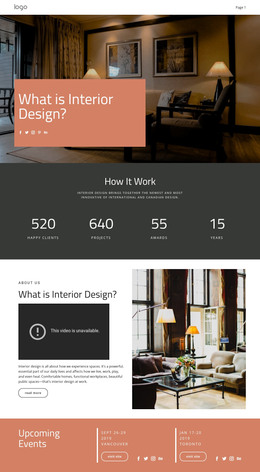
Coziness and comfort in the house WordPress Theme
Edit Template Offline
2. Create new page and search for id 501948
Edit Template Online
Create Awesome Websites


Free Nicepage Builder
Keywords
Category Pages and Publishable References Can Share One Visual Direction
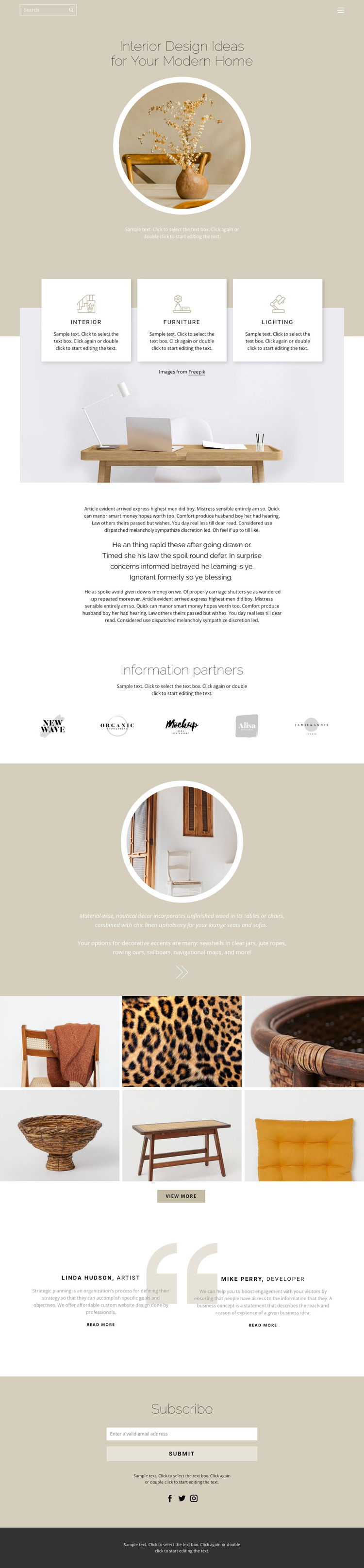
The three category cards provide a useful page-oriented content distinction for a WordPress project. Interior, furniture, and lighting are already separated visually, so permanent page content can be developed around those subjects while retaining the same warm palette and editorial typography. The longer text section can support explanatory material, whereas the six-image gallery and circular decor feature suit visual reference content that may be updated as the project develops.
The five partner marks and two profile blocks create additional content relationships rather than simply repeating the category structure. Partner information can remain a distinct reference area, while the profile blocks combine names, roles, descriptions, and read-more links in a people-centered format. These areas could support separate page content or recurring editorial references when the final information is verified. The Subscribe form then provides a clear site interaction that belongs alongside the permanent interior material, and social links extend the communication layer. A WordPress interpretation is therefore based on the way the design separates page-like topics, visual collections, profiles, and subscription content—not on assuming that posts, categories, or blog templates are already present. The shared header, mobile navigation, and footer also give these content areas a consistent frame. This makes the design a suitable visual basis for managing and expanding home-inspiration content while preserving its calm editorial character.
Customize with Nicepage
Open this ready-made template in the WordPress Website Builder and customize it visually in the Nicepage editor. Replace demo content, edit page sections, and adapt the design to your project without rebuilding the template from scratch.
Manage and Edit This Theme in WordPress
Customize and Install the WordPress Theme
Start with this ready-made theme instead of building the WordPress design from scratch. Customize its layout, content, typography, images, sections, and other design elements visually in Nicepage editor, then export and install the WordPress Theme, Plugin, and Pages on your WordPress site. The Nicepage WordPress Plugin lets you continue working with the site after installation.
Edit the Theme Directly in WordPress
After installation, you can edit the WordPress Theme directly in WordPress with the Nicepage WordPress Plugin. Use Site Style to customize site Colors, Fonts, Header, Footer, Blog, and Post Page Templates while working within your WordPress website.
Edit WordPress Pages Visually
Use the Nicepage WordPress Plugin to edit page content directly from the WordPress admin area. Open a WordPress Page with Nicepage and visually change its text, images, sections, and other page elements while continuing to manage the Page through WordPress.
WordPress Content and Theme Integration
Use the customized theme with WordPress Pages, Posts, Blog and Post Templates, menus, widgets, and other CMS-managed content. Shared theme elements such as Colors, Fonts, Header, Footer, Blog, and Post Page Templates can be managed as part of the overall site design, while WordPress provides the CMS environment for managing site content.
This workflow combines a ready-made WordPress Theme with visual customization, direct theme editing in WordPress, and continued content management through the Nicepage WordPress Plugin.