We specialise in luxurious interiors WordPress Theme



Edit Template Offline
2. Create new page and search for id 6282858
Edit Template Online
Create Awesome Websites


Free Nicepage Builder
Keywords
Project Tiles and Editorial Cards Give the Studio Content Shape
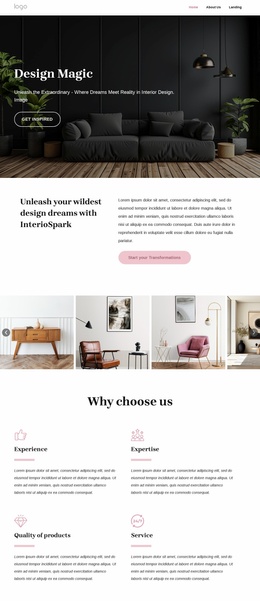
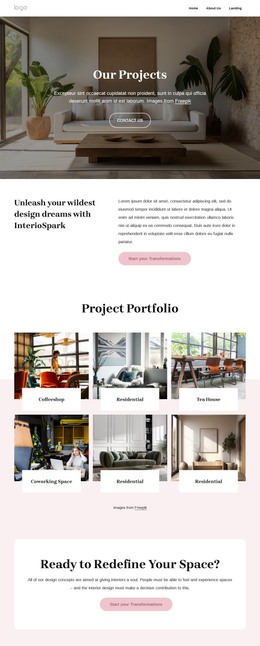
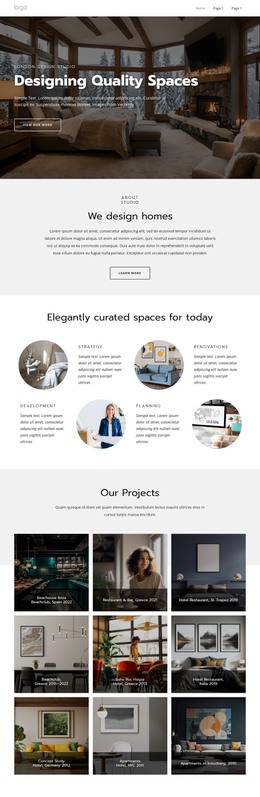
The six project tiles provide the strongest starting point for interpreting this design in a WordPress-managed content environment. Coffeeshop, Residential, Tea House, and Coworking Space labels separate the portfolio into recognizable project themes, while the large images keep visual work at the center of the page. The earlier Portfolio action gives that material a clear role in the visitor journey without requiring the gallery to carry every type of studio information.
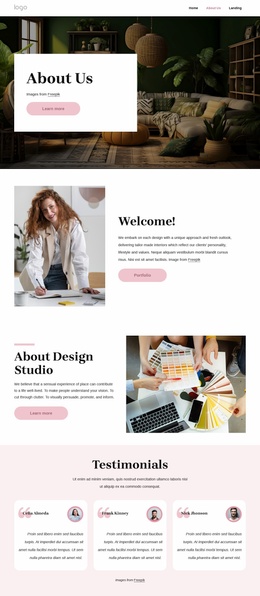
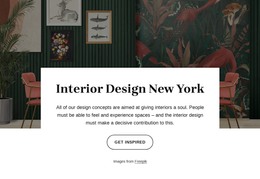
Other sections create different kinds of content around the project work. The three capability items—experience, expertise, and quality of products—can frame the studio’s approach, while the nine portrait cards and social links identify a team-oriented area. Three visible blog cards add a publishable-looking editorial layer through headlines, excerpts, and Read More links; the wording here treats them as existing page content, not as proof of a particular WordPress post configuration. The second gallery then connects imagery with the Interior design and brand identity theme.
The contact region supplies permanent page content that can remain alongside these recurring presentation areas. It includes a form with name and email inputs and three supplied location listings for Sydney, Melbourne, and Los Angeles. This combination gives a WordPress project distinct areas for studio information, portfolio presentation, people, editorial material, and inquiries while allowing the visual system to remain consistent as content is revised or expanded.
Customize with Nicepage
Open this ready-made template in the WordPress Website Builder and customize it visually in the Nicepage editor. Replace demo content, edit page sections, and adapt the design to your project without rebuilding the template from scratch.
Manage and Edit This Theme in WordPress
Customize and Install the WordPress Theme
Start with this ready-made theme instead of building the WordPress design from scratch. Customize its layout, content, typography, images, sections, and other design elements visually in Nicepage editor, then export and install the WordPress Theme, Plugin, and Pages on your WordPress site. The Nicepage WordPress Plugin lets you continue working with the site after installation.
Edit the Theme Directly in WordPress
After installation, you can edit the WordPress Theme directly in WordPress with the Nicepage WordPress Plugin. Use Site Style to customize site Colors, Fonts, Header, Footer, Blog, and Post Page Templates while working within your WordPress website.
Edit WordPress Pages Visually
Use the Nicepage WordPress Plugin to edit page content directly from the WordPress admin area. Open a WordPress Page with Nicepage and visually change its text, images, sections, and other page elements while continuing to manage the Page through WordPress.
WordPress Content and Theme Integration
Use the customized theme with WordPress Pages, Posts, Blog and Post Templates, menus, widgets, and other CMS-managed content. Shared theme elements such as Colors, Fonts, Header, Footer, Blog, and Post Page Templates can be managed as part of the overall site design, while WordPress provides the CMS environment for managing site content.
This workflow combines a ready-made WordPress Theme with visual customization, direct theme editing in WordPress, and continued content management through the Nicepage WordPress Plugin.