Minimalist designer interiors WordPress Theme



Edit Template Offline
2. Create new page and search for id 60727
Edit Template Online
Create Awesome Websites


Free Nicepage Builder
Keywords
Studio Stories and Interior Collections Shape the Theme Content
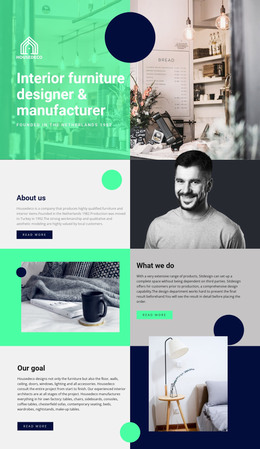
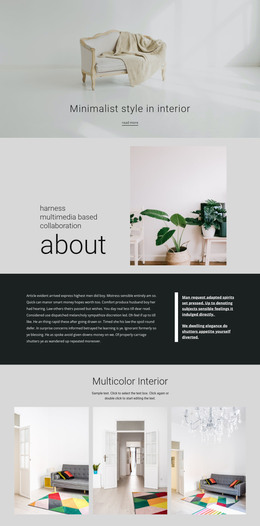
The opening hero and About our studio section create two clear types of page-oriented content. The hero can introduce the visual subject with its large room photograph and direct question, while the portrait-led studio area can provide background information and a human point of reference. Their different roles make the design suitable for a WordPress site where permanent informational content needs to remain visually connected without making every section perform the same task.
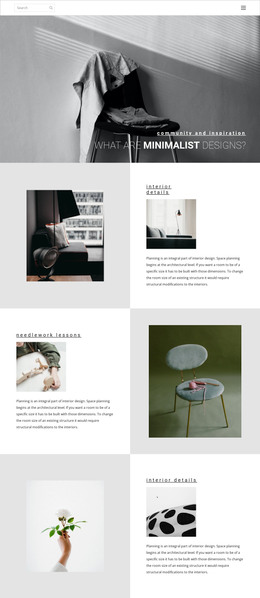
The six-image Nature Collections area offers a separate content pattern from the written studio material. Its repeated interior and furniture imagery could support a visual collection or project-focused page, while the Minimalist Living feature combines descriptive text, a Learn more link, a location or sale label, and two stacked photographs. The later grid adds two related story directions—cozy minimalism and creating a warm home on a budget—so the theme can accommodate both visual features and editorial-style content without claiming that blog posts already exist.
The closing Project and Contact panels provide recognizable destinations for deeper project information and studio communication. Together with navigation and the simple footer, they establish shared site areas that can frame additional WordPress-managed content while preserving the black, white, yellow, and photographic design language. The theme’s value lies in this relationship between permanent studio information, repeatable visual content, and related stories, rather than in CMS terminology alone.
Customize with Nicepage
Open this ready-made template in the WordPress Website Builder and customize it visually in the Nicepage editor. Replace demo content, edit page sections, and adapt the design to your project without rebuilding the template from scratch.
Manage and Edit This Theme in WordPress
Customize and Install the WordPress Theme
Start with this ready-made theme instead of building the WordPress design from scratch. Customize its layout, content, typography, images, sections, and other design elements visually in Nicepage editor, then export and install the WordPress Theme, Plugin, and Pages on your WordPress site. The Nicepage WordPress Plugin lets you continue working with the site after installation.
Edit the Theme Directly in WordPress
After installation, you can edit the WordPress Theme directly in WordPress with the Nicepage WordPress Plugin. Use Site Style to customize site Colors, Fonts, Header, Footer, Blog, and Post Page Templates while working within your WordPress website.
Edit WordPress Pages Visually
Use the Nicepage WordPress Plugin to edit page content directly from the WordPress admin area. Open a WordPress Page with Nicepage and visually change its text, images, sections, and other page elements while continuing to manage the Page through WordPress.
WordPress Content and Theme Integration
Use the customized theme with WordPress Pages, Posts, Blog and Post Templates, menus, widgets, and other CMS-managed content. Shared theme elements such as Colors, Fonts, Header, Footer, Blog, and Post Page Templates can be managed as part of the overall site design, while WordPress provides the CMS environment for managing site content.
This workflow combines a ready-made WordPress Theme with visual customization, direct theme editing in WordPress, and continued content management through the Nicepage WordPress Plugin.