Architecture and interior design agency WordPress Theme



Edit Template Offline
2. Create new page and search for id 2317031
Edit Template Online
Create Awesome Websites


Free Nicepage Builder
Keywords
Interior Service Content Fits a Page-Oriented WordPress Structure
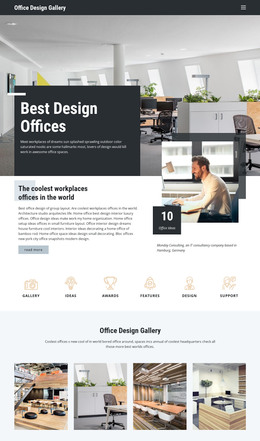
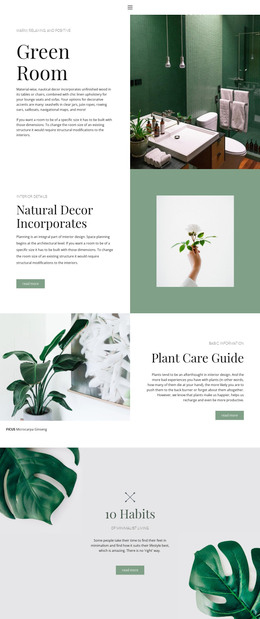
The page contains several permanent information areas that can be interpreted as content for a WordPress-managed interior-design site. The hero establishes Interior Renovation, followed by capability content for Projects, Great design, Home Decor, and About Us. The Decorating Ideas collage and Real-time Visualization section are especially suited to page content where images and explanatory text need to remain part of the same visual presentation. Concepts, Prototyping, and Interior add process-oriented subjects, while Interior Design and Space Planning describes a further service direction.
The navigation menu links Home and seven additional pages, making page-to-page movement part of the verified design rather than an invented CMS structure. The closing Contact Us area also separates inquiry content into a name, email, and message form plus phone, location, and opening-hours cards. Those elements can support permanent service and contact pages while retaining the theme’s image-led character. The four metric cards are best treated as a reusable proof layout, not as verified business statistics, because the displayed values are demo content. If regularly updated editorial material is added later, it should complement these established service and portfolio-like regions rather than obscure the original hierarchy. The theme therefore connects page content, visual proof, navigation, and inquiry handling in one coherent WordPress-oriented design.
Customize with Nicepage
Open this ready-made template in the WordPress Website Builder and customize it visually in the Nicepage editor. Replace demo content, edit page sections, and adapt the design to your project without rebuilding the template from scratch.
Manage and Edit This Theme in WordPress
Customize and Install the WordPress Theme
Start with this ready-made theme instead of building the WordPress design from scratch. Customize its layout, content, typography, images, sections, and other design elements visually in Nicepage editor, then export and install the WordPress Theme, Plugin, and Pages on your WordPress site. The Nicepage WordPress Plugin lets you continue working with the site after installation.
Edit the Theme Directly in WordPress
After installation, you can edit the WordPress Theme directly in WordPress with the Nicepage WordPress Plugin. Use Site Style to customize site Colors, Fonts, Header, Footer, Blog, and Post Page Templates while working within your WordPress website.
Edit WordPress Pages Visually
Use the Nicepage WordPress Plugin to edit page content directly from the WordPress admin area. Open a WordPress Page with Nicepage and visually change its text, images, sections, and other page elements while continuing to manage the Page through WordPress.
WordPress Content and Theme Integration
Use the customized theme with WordPress Pages, Posts, Blog and Post Templates, menus, widgets, and other CMS-managed content. Shared theme elements such as Colors, Fonts, Header, Footer, Blog, and Post Page Templates can be managed as part of the overall site design, while WordPress provides the CMS environment for managing site content.
This workflow combines a ready-made WordPress Theme with visual customization, direct theme editing in WordPress, and continued content management through the Nicepage WordPress Plugin.