Quote about happiness WordPress Theme


A Focused Quote Section for WordPress Page Content
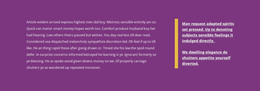
The quotation supplies the block’s primary page content, with the circular portrait acting as a visual reference beside it rather than as a separate content list. A large quote mark to the left reinforces the testimonial reading pattern, and the bold, left-aligned typography makes the single statement easy to identify within a longer page. Because the section contains one quote and one portrait, it can remain a stable, publishable content area while other parts of a WordPress-managed project handle broader information.
The block’s visual hierarchy is equally straightforward. The warm off-white background separates the testimonial from neighboring content, muted beige styling gives the quote mark a supporting accent, and generous whitespace prevents the portrait from crowding the text. The offset image position adds character without introducing interaction; the section remains static and can be read in one pass. Its lack of a heading keeps attention on the quoted statement itself rather than creating a second title layer.
In a WordPress-oriented page, this design can occupy a testimonial or trust position between more functional content areas. It may sit alongside services, project information, or a later contact section, while retaining its own quote-and-portrait identity. The surrounding CMS-managed page can provide the wider publishing context, but this reusable block contributes one contained testimonial message and its supporting visual treatment rather than acting as a complete theme or site.
Customize with Nicepage
Open this ready-made template in the WordPress Website Builder and customize it visually in the Nicepage editor. Replace demo content, edit page sections, and adapt the design to your project without rebuilding the template from scratch.
Edit Template Offline
2. Create a new page or select existing
3. Click Add new block, search for id 854202 and click enter
Edit Template Online
Create Awesome Websites


Free Nicepage Builder
Keywords
Manage and Edit This Theme in WordPress
Customize and Install the WordPress Theme
Start with this ready-made theme instead of building the WordPress design from scratch. Customize its layout, content, typography, images, sections, and other design elements visually in Nicepage editor, then export and install the WordPress Theme, Plugin, and Pages on your WordPress site. The Nicepage WordPress Plugin lets you continue working with the site after installation.
Edit the Theme Directly in WordPress
After installation, you can edit the WordPress Theme directly in WordPress with the Nicepage WordPress Plugin. Use Site Style to customize site Colors, Fonts, Header, Footer, Blog, and Post Page Templates while working within your WordPress website.
Edit WordPress Pages Visually
Use the Nicepage WordPress Plugin to edit page content directly from the WordPress admin area. Open a WordPress Page with Nicepage and visually change its text, images, sections, and other page elements while continuing to manage the Page through WordPress.
WordPress Content and Theme Integration
Use the customized theme with WordPress Pages, Posts, Blog and Post Templates, menus, widgets, and other CMS-managed content. Shared theme elements such as Colors, Fonts, Header, Footer, Blog, and Post Page Templates can be managed as part of the overall site design, while WordPress provides the CMS environment for managing site content.
This workflow combines a ready-made WordPress Theme with visual customization, direct theme editing in WordPress, and continued content management through the Nicepage WordPress Plugin.