Texts with numbers WordPress Theme


Stable Fitness Content With a Clear Publishable Sequence
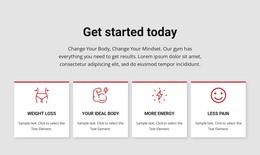
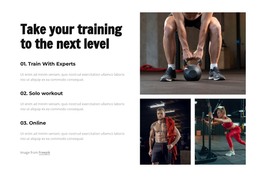
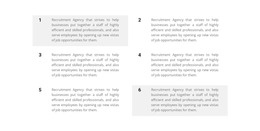
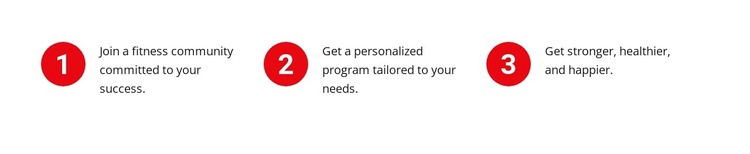
The section reads as durable informational content because its three statements describe a coherent progression rather than a time-sensitive update. Joining a fitness community appears first, a personalized program follows, and becoming stronger, healthier, and happier closes the sequence. The red circles numbered 1, 2, and 3 make that order explicit, while the horizontal row keeps the related messages visible together.
Within a WordPress-managed page, this block can serve as a reusable fitness benefits or steps area surrounded by other content handled elsewhere in the project. A broader page may add introductions, detailed program information, testimonials, or contact material, while this section preserves its focused statement group. The block's content model is simple enough to remain recognizable when text or imagery around it changes, provided the three-item relationship is retained.
The white background, dark left-aligned copy, and evenly distributed columns also give the section a consistent visual role within page content. In a WordPress Theme context, the block participates as one designed content region rather than functioning as the theme itself. Its practical contribution is a concise, ordered explanation that can support a stable services or benefits page without introducing blog, category, or publishing structures.
Customize with Nicepage
Open this ready-made template in the WordPress Website Builder and customize it visually in the Nicepage editor. Replace demo content, edit page sections, and adapt the design to your project without rebuilding the template from scratch.
Edit Template Offline
2. Create a new page or select existing
3. Click Add new block, search for id 4374141 and click enter
Edit Template Online
Create Awesome Websites


Free Nicepage Builder
Keywords
Manage and Edit This Theme in WordPress
Customize and Install the WordPress Theme
Start with this ready-made theme instead of building the WordPress design from scratch. Customize its layout, content, typography, images, sections, and other design elements visually in Nicepage editor, then export and install the WordPress Theme, Plugin, and Pages on your WordPress site. The Nicepage WordPress Plugin lets you continue working with the site after installation.
Edit the Theme Directly in WordPress
After installation, you can edit the WordPress Theme directly in WordPress with the Nicepage WordPress Plugin. Use Site Style to customize site Colors, Fonts, Header, Footer, Blog, and Post Page Templates while working within your WordPress website.
Edit WordPress Pages Visually
Use the Nicepage WordPress Plugin to edit page content directly from the WordPress admin area. Open a WordPress Page with Nicepage and visually change its text, images, sections, and other page elements while continuing to manage the Page through WordPress.
WordPress Content and Theme Integration
Use the customized theme with WordPress Pages, Posts, Blog and Post Templates, menus, widgets, and other CMS-managed content. Shared theme elements such as Colors, Fonts, Header, Footer, Blog, and Post Page Templates can be managed as part of the overall site design, while WordPress provides the CMS environment for managing site content.
This workflow combines a ready-made WordPress Theme with visual customization, direct theme editing in WordPress, and continued content management through the Nicepage WordPress Plugin.