Design with Soul WordPress Theme



Edit Template Offline
2. Create new page and search for id 6335833
Edit Template Online
Create Awesome Websites


Free Nicepage Builder
Keywords
Portfolio Projects and Recurring Service Content Fit a WordPress Theme Direction
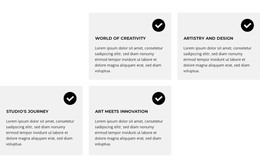
The page separates several kinds of content that are useful when interpreting the design as a WordPress-managed theme. The six service cards define recurring capability information, from app design and motion to Framer, web design, photography, logo design, and print. The Latest Projects gallery uses four image panels with labels and captions, creating a distinct portfolio area that can sit alongside the service information rather than being confused with it.
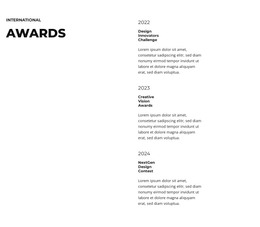
The portrait profile and Mission and Vision section add durable page-oriented content. One is centered on personal introduction, while the other combines a large statement with explanatory text and a signature graphic. The Awards section provides three dated entries, offering a separate recognition pattern that could later support additional editorial content if the project requires it. Social-link groups in the introduction and contact areas also reinforce the identity across the visible page regions.
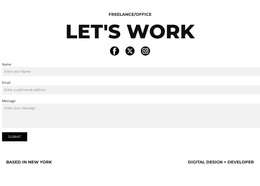
The closing Let's Work area supplies permanent contact content through a vertically stacked inquiry form and Submit action. That makes the page suitable for a design practice whose WordPress site needs a stable portfolio presentation while new project information or other publishable material is added around it. The template analysis does not verify existing WordPress Posts, categories, or blog structures, so those should be treated as possible future content, not as components already present. The core value is the relationship between permanent portfolio sections, recurring service content, and a client-facing inquiry endpoint.
Customize with Nicepage
Open this ready-made template in the WordPress Website Builder and customize it visually in the Nicepage editor. Replace demo content, edit page sections, and adapt the design to your project without rebuilding the template from scratch.
Manage and Edit This Theme in WordPress
Customize and Install the WordPress Theme
Start with this ready-made theme instead of building the WordPress design from scratch. Customize its layout, content, typography, images, sections, and other design elements visually in Nicepage editor, then export and install the WordPress Theme, Plugin, and Pages on your WordPress site. The Nicepage WordPress Plugin lets you continue working with the site after installation.
Edit the Theme Directly in WordPress
After installation, you can edit the WordPress Theme directly in WordPress with the Nicepage WordPress Plugin. Use Site Style to customize site Colors, Fonts, Header, Footer, Blog, and Post Page Templates while working within your WordPress website.
Edit WordPress Pages Visually
Use the Nicepage WordPress Plugin to edit page content directly from the WordPress admin area. Open a WordPress Page with Nicepage and visually change its text, images, sections, and other page elements while continuing to manage the Page through WordPress.
WordPress Content and Theme Integration
Use the customized theme with WordPress Pages, Posts, Blog and Post Templates, menus, widgets, and other CMS-managed content. Shared theme elements such as Colors, Fonts, Header, Footer, Blog, and Post Page Templates can be managed as part of the overall site design, while WordPress provides the CMS environment for managing site content.
This workflow combines a ready-made WordPress Theme with visual customization, direct theme editing in WordPress, and continued content management through the Nicepage WordPress Plugin.