Fashion trends come and go WordPress Theme


Three Photography Services Form Stable Page Content
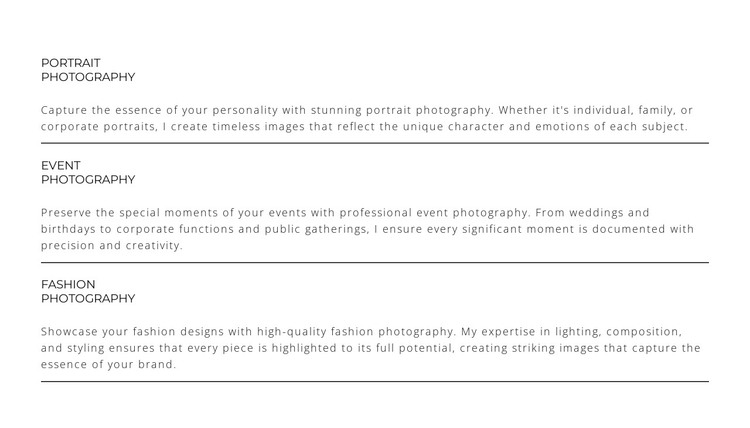
Portrait Photography, Event Photography, and Fashion Photography give this block a clear page-oriented content role. Each service has its own title and descriptive paragraph, creating three related but distinct information units rather than a single undivided text area. Thin horizontal separators reinforce the boundaries, while the shared vertical format gives every offering equal weight and keeps the reading order straightforward.
In a WordPress-managed project, this section can suit permanent services content on a page about photography offerings. Its purpose is stable and explanatory: visitors can review the three categories without opening a carousel, switching tabs, or relying on a changing post feed. The wide centered column leaves room for the descriptions, and the white background, dark typography, muted paragraphs, and spacious letter spacing keep the presentation focused on the wording.
The block can remain one consistent visual section while the surrounding WordPress project handles other page content, such as portfolio images, profile information, testimonials, or contact details. The service titles provide useful editorial landmarks, and the repeated card structure makes future text or image adjustments easier to keep visually consistent. Its value in a WordPress Theme context is therefore the combination of stable page content and a restrained presentation layer, not a claim that the section itself is a complete theme or site.
Customize with Nicepage
Open this ready-made template in the WordPress Website Builder and customize it visually in the Nicepage editor. Replace demo content, edit page sections, and adapt the design to your project without rebuilding the template from scratch.
Edit Template Offline
2. Create a new page or select existing
3. Click Add new block, search for id 6294351 and click enter
Edit Template Online
Create Awesome Websites


Free Nicepage Builder
Keywords
Manage and Edit This Theme in WordPress
Customize and Install the WordPress Theme
Start with this ready-made theme instead of building the WordPress design from scratch. Customize its layout, content, typography, images, sections, and other design elements visually in Nicepage editor, then export and install the WordPress Theme, Plugin, and Pages on your WordPress site. The Nicepage WordPress Plugin lets you continue working with the site after installation.
Edit the Theme Directly in WordPress
After installation, you can edit the WordPress Theme directly in WordPress with the Nicepage WordPress Plugin. Use Site Style to customize site Colors, Fonts, Header, Footer, Blog, and Post Page Templates while working within your WordPress website.
Edit WordPress Pages Visually
Use the Nicepage WordPress Plugin to edit page content directly from the WordPress admin area. Open a WordPress Page with Nicepage and visually change its text, images, sections, and other page elements while continuing to manage the Page through WordPress.
WordPress Content and Theme Integration
Use the customized theme with WordPress Pages, Posts, Blog and Post Templates, menus, widgets, and other CMS-managed content. Shared theme elements such as Colors, Fonts, Header, Footer, Blog, and Post Page Templates can be managed as part of the overall site design, while WordPress provides the CMS environment for managing site content.
This workflow combines a ready-made WordPress Theme with visual customization, direct theme editing in WordPress, and continued content management through the Nicepage WordPress Plugin.