AI-Powered Smart Cities WordPress Theme



Edit Template Offline
2. Create new page and search for id 6363999
Edit Template Online
Create Awesome Websites


Free Nicepage Builder
Keywords
Service Pages and Repeated Capability Content Fit the AI Agency Theme
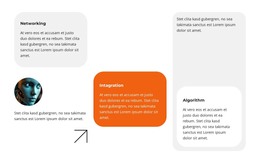
The page contains several kinds of content that can be organized within a WordPress-oriented site structure. The hero and AI and Creative Industries section provide permanent page material for explaining the agency’s subject and business context. The Future of AI Ethics block offers a separate editorial angle, while the capability content groups recurring themes such as networking, integration, algorithm, identity, data governance, and business safety. These areas can remain connected through the same visual system even when the wording or page assignment changes.
The education section is useful as another content relationship because it contains three repeated feature items around a specific application theme. The four-question accordion adds concise explanatory content about services, business benefits, industries, and implementation time. Together, these sections provide a distinction between durable agency information, thematic material, application-focused content, and visitor questions. That distinction is more meaningful for a content-managed project than simply treating the design as one uninterrupted presentation.
The closing business-solutions block supplies a clear place for capability bullets and a response-oriented message. A WordPress project could therefore use the design direction for permanent service pages and related content while retaining the orange portraits, dark technology imagery, rounded cards, and pale panels as shared visual references. This interpretation concerns how the verified content areas can support WordPress-managed pages; it does not claim that Posts, categories, or other CMS structures already appear in the template.
Customize with Nicepage
Open this ready-made template in the WordPress Website Builder and customize it visually in the Nicepage editor. Replace demo content, edit page sections, and adapt the design to your project without rebuilding the template from scratch.
Manage and Edit This Theme in WordPress
Customize and Install the WordPress Theme
Start with this ready-made theme instead of building the WordPress design from scratch. Customize its layout, content, typography, images, sections, and other design elements visually in Nicepage editor, then export and install the WordPress Theme, Plugin, and Pages on your WordPress site. The Nicepage WordPress Plugin lets you continue working with the site after installation.
Edit the Theme Directly in WordPress
After installation, you can edit the WordPress Theme directly in WordPress with the Nicepage WordPress Plugin. Use Site Style to customize site Colors, Fonts, Header, Footer, Blog, and Post Page Templates while working within your WordPress website.
Edit WordPress Pages Visually
Use the Nicepage WordPress Plugin to edit page content directly from the WordPress admin area. Open a WordPress Page with Nicepage and visually change its text, images, sections, and other page elements while continuing to manage the Page through WordPress.
WordPress Content and Theme Integration
Use the customized theme with WordPress Pages, Posts, Blog and Post Templates, menus, widgets, and other CMS-managed content. Shared theme elements such as Colors, Fonts, Header, Footer, Blog, and Post Page Templates can be managed as part of the overall site design, while WordPress provides the CMS environment for managing site content.
This workflow combines a ready-made WordPress Theme with visual customization, direct theme editing in WordPress, and continued content management through the Nicepage WordPress Plugin.