Adventure summer travel WordPress Theme


Summer and Group Tours Create Stable Travel Page Content
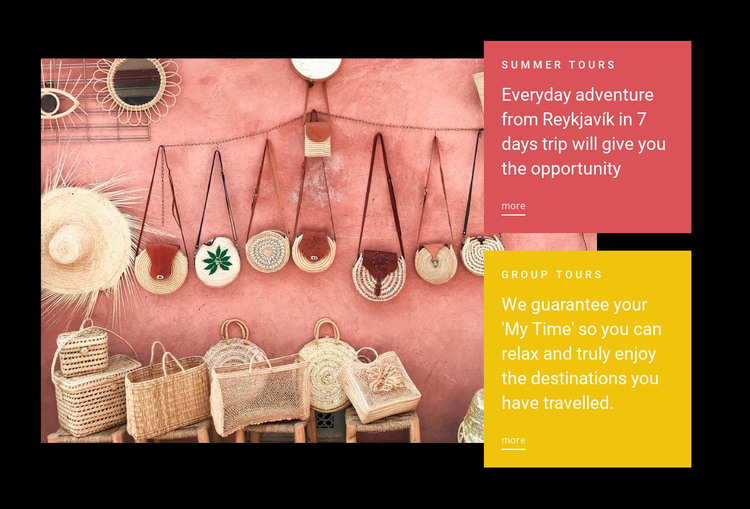
The Summer Tours and Group Tours panels provide two stable content units that can participate in a WordPress-managed travel page. Their labels make the section’s subject immediately recognizable, while the separate descriptions allow each offering to be maintained as its own piece of page content. The Summer Tours copy refers to a seven-day trip from Reykjavík, giving that panel a concrete planning detail; the Group Tours panel supplies a second category within the same visual pattern.
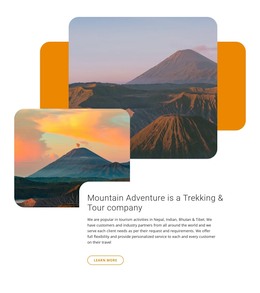
A large warm-toned travel photograph sits beside the panels and gives the content an immediate destination association. The image does not replace the written explanations, but it balances them and helps the section work as a compact visual pause within a longer page. Each offering includes a “more” link, so the surrounding WordPress-managed content can lead visitors toward fuller tour information, related destinations, or a separate inquiry area without making this block responsible for the entire travel workflow.
The block’s black background and high-contrast coral and yellow surfaces give the section a consistent visual boundary. Uppercase letter-spaced labels, large white headings, compact copy, and underlined links create a repeatable presentation for the two categories. In a WordPress-oriented project, this arrangement can remain a recognizable services section while other managed page content handles introductions, destination details, booking information, and additional travel topics.
Customize with Nicepage
Open this ready-made template in the WordPress Website Builder and customize it visually in the Nicepage editor. Replace demo content, edit page sections, and adapt the design to your project without rebuilding the template from scratch.
Edit Template Offline
2. Create a new page or select existing
3. Click Add new block, search for id 65734 and click enter
Edit Template Online
Create Awesome Websites


Free Nicepage Builder
Keywords
Manage and Edit This Theme in WordPress
Customize and Install the WordPress Theme
Start with this ready-made theme instead of building the WordPress design from scratch. Customize its layout, content, typography, images, sections, and other design elements visually in Nicepage editor, then export and install the WordPress Theme, Plugin, and Pages on your WordPress site. The Nicepage WordPress Plugin lets you continue working with the site after installation.
Edit the Theme Directly in WordPress
After installation, you can edit the WordPress Theme directly in WordPress with the Nicepage WordPress Plugin. Use Site Style to customize site Colors, Fonts, Header, Footer, Blog, and Post Page Templates while working within your WordPress website.
Edit WordPress Pages Visually
Use the Nicepage WordPress Plugin to edit page content directly from the WordPress admin area. Open a WordPress Page with Nicepage and visually change its text, images, sections, and other page elements while continuing to manage the Page through WordPress.
WordPress Content and Theme Integration
Use the customized theme with WordPress Pages, Posts, Blog and Post Templates, menus, widgets, and other CMS-managed content. Shared theme elements such as Colors, Fonts, Header, Footer, Blog, and Post Page Templates can be managed as part of the overall site design, while WordPress provides the CMS environment for managing site content.
This workflow combines a ready-made WordPress Theme with visual customization, direct theme editing in WordPress, and continued content management through the Nicepage WordPress Plugin.