Planning your perfect vacation WordPress Theme


Edit Template Offline
2. Create new page and search for id 6200982
Edit Template Online
Create Awesome Websites


Free Nicepage Builder
Keywords
Travel Topics Divide Naturally Into Reusable Page Content
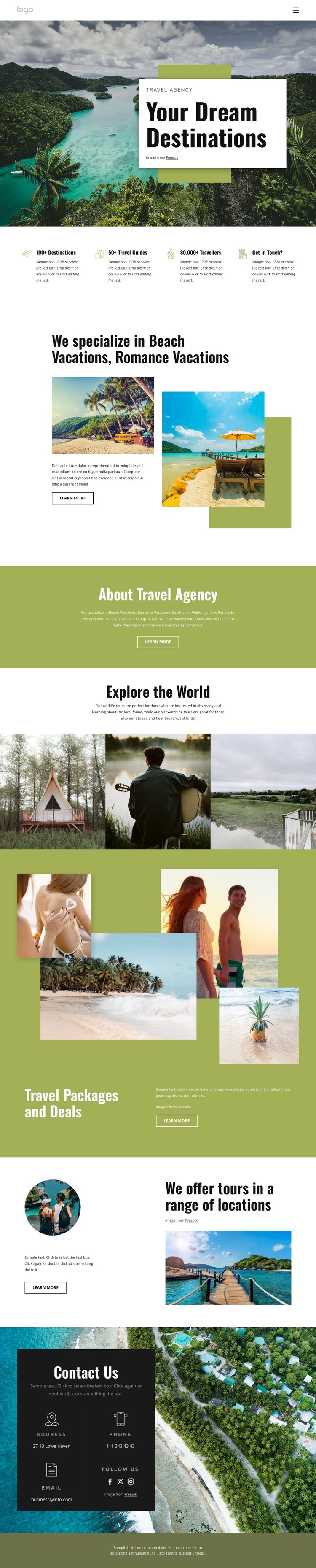
The page presents several content areas that can be interpreted as permanent travel information within a WordPress-managed site. The hero establishes the agency’s destination focus, while the four highlight cards summarize the page’s main themes in a compact visual unit. This gives the site a stable introductory layer before visitors move into more detailed vacation and tour content.
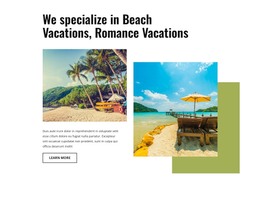
The beach and romance vacation section is a strong page-oriented content area because it combines a defined service topic, supporting imagery, descriptive copy, and a “Learn more” action. The wider offering also names destination weddings, vow renewals, honeymoons, family travel, and group travel, creating related subjects that can be presented as separate or connected content without claiming that separate pages already exist. The gallery works differently: it carries visual exploration of travel and wildlife experiences, including birdwatching, and can support the editorial character of the subject.
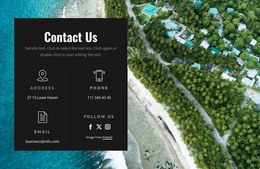
Travel packages and deals add a promotional content region, while the location section provides another organizing idea around tour coverage. The final contact panel consolidates address, phone, email, and social-link labels as shared site information. This combination gives a WordPress-oriented project a practical distinction between enduring agency information, service topics, visual travel content, and contact details. The sample counters and contact values remain structural evidence only; the verified value is the way the design groups content for ongoing management within one visual system.
Customize with Nicepage
Open this ready-made template in the WordPress Website Builder and customize it visually in the Nicepage editor. Replace demo content, edit page sections, and adapt the design to your project without rebuilding the template from scratch.
Manage and Edit This Theme in WordPress
Customize and Install the WordPress Theme
Start with this ready-made theme instead of building the WordPress design from scratch. Customize its layout, content, typography, images, sections, and other design elements visually in Nicepage editor, then export and install the WordPress Theme, Plugin, and Pages on your WordPress site. The Nicepage WordPress Plugin lets you continue working with the site after installation.
Edit the Theme Directly in WordPress
After installation, you can edit the WordPress Theme directly in WordPress with the Nicepage WordPress Plugin. Use Site Style to customize site Colors, Fonts, Header, Footer, Blog, and Post Page Templates while working within your WordPress website.
Edit WordPress Pages Visually
Use the Nicepage WordPress Plugin to edit page content directly from the WordPress admin area. Open a WordPress Page with Nicepage and visually change its text, images, sections, and other page elements while continuing to manage the Page through WordPress.
WordPress Content and Theme Integration
Use the customized theme with WordPress Pages, Posts, Blog and Post Templates, menus, widgets, and other CMS-managed content. Shared theme elements such as Colors, Fonts, Header, Footer, Blog, and Post Page Templates can be managed as part of the overall site design, while WordPress provides the CMS environment for managing site content.
This workflow combines a ready-made WordPress Theme with visual customization, direct theme editing in WordPress, and continued content management through the Nicepage WordPress Plugin.