Login on image background WordPress Theme


Stable Account Content Within a WordPress-Managed Page
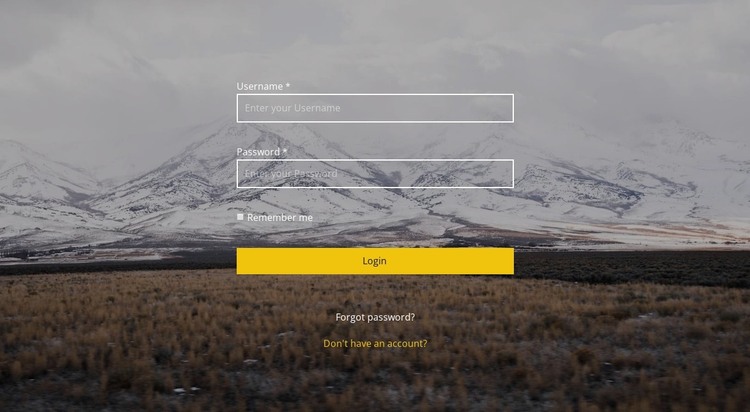
The form reads as permanent page content rather than as a time-sensitive editorial listing. Username and password inputs establish the account-access data, the remember-me checkbox supports returning users, and the Login button provides the immediate submission action. Beneath that group, Forgot password? and Don't have an account? address two distinct account needs without changing the block's central purpose.
The visual treatment keeps this content self-contained. A mountain landscape spans the section, a dark translucent overlay separates the image from the controls, and white outlined fields provide a consistent treatment for the credentials. The yellow Login button supplies a contrasting action color, while the centered vertical layout makes the section easy to identify as an authentication area within a larger page.
In a WordPress-oriented project, this block can serve as a stable account section that sits alongside other managed page content. The wider site may provide the protected service, registration process, or supporting information around it, while this section retains its own field and link hierarchy. The WordPress Theme suffix supplies a CMS context for the content; it does not change the reusable block into a standalone theme or imply that particular CMS structures are already present.
Customize with Nicepage
Open this ready-made template in the WordPress Website Builder and customize it visually in the Nicepage editor. Replace demo content, edit page sections, and adapt the design to your project without rebuilding the template from scratch.
Edit Template Offline
2. Create a new page or select existing
3. Click Add new block, search for id 1442379 and click enter
Edit Template Online
Create Awesome Websites


Free Nicepage Builder
Keywords
Manage and Edit This Theme in WordPress
Customize and Install the WordPress Theme
Start with this ready-made theme instead of building the WordPress design from scratch. Customize its layout, content, typography, images, sections, and other design elements visually in Nicepage editor, then export and install the WordPress Theme, Plugin, and Pages on your WordPress site. The Nicepage WordPress Plugin lets you continue working with the site after installation.
Edit the Theme Directly in WordPress
After installation, you can edit the WordPress Theme directly in WordPress with the Nicepage WordPress Plugin. Use Site Style to customize site Colors, Fonts, Header, Footer, Blog, and Post Page Templates while working within your WordPress website.
Edit WordPress Pages Visually
Use the Nicepage WordPress Plugin to edit page content directly from the WordPress admin area. Open a WordPress Page with Nicepage and visually change its text, images, sections, and other page elements while continuing to manage the Page through WordPress.
WordPress Content and Theme Integration
Use the customized theme with WordPress Pages, Posts, Blog and Post Templates, menus, widgets, and other CMS-managed content. Shared theme elements such as Colors, Fonts, Header, Footer, Blog, and Post Page Templates can be managed as part of the overall site design, while WordPress provides the CMS environment for managing site content.
This workflow combines a ready-made WordPress Theme with visual customization, direct theme editing in WordPress, and continued content management through the Nicepage WordPress Plugin.