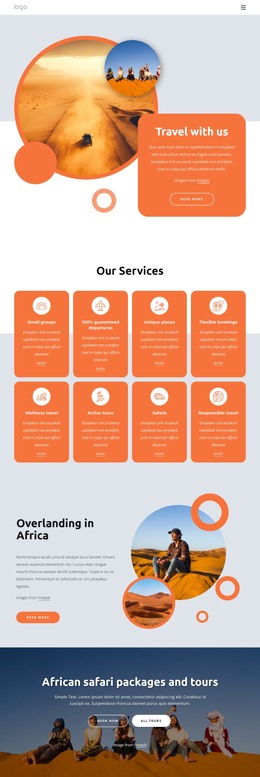
All-inclusive group adventure WordPress Theme



Edit Template Offline
2. Create new page and search for id 1229167
Edit Template Online
Create Awesome Websites


Free Nicepage Builder
Keywords
Tour Content and Travel Guides Support Structured WordPress Pages
The page-oriented content is well suited to a WordPress project because its major subjects are already separated into recognizable information areas. Sea Tours and Land & Sea Tours can anchor permanent tour or destination content, while the About Us section provides a clear home for agency information. The references to Manu National Park and Peru give those pages a specific travel context instead of leaving the theme dependent on generic holiday copy.
Repeated and expandable content appears in the four service cards and the spa facilities list. Flight Reservations, Delivery service, and Leisure Services can remain coordinated as related service information, while the spa area offers a more detailed amenity presentation with treatment rooms, saunas, steam rooms, whirlpools, pools, and lounges. The Travel Guide introduces a different content relationship: its image collage and two text columns can support editorial or informational material alongside the more permanent service sections.
The discount banner and subscription area connect page content with ongoing communication. Hotels, cars, and flights are presented as part of the promotional message, and the “Subscribe for Exclusive Offers” block gives visitors a visible place to respond. In a WordPress-managed environment, these areas can remain part of one theme direction while the project organizes its own page content and future updates. The design supports that interpretation through its shared header, repeated cards, consistent imagery, and clear separation between tours, services, guidance, and promotional content.
Customize with Nicepage
Open this ready-made template in the WordPress Website Builder and customize it visually in the Nicepage editor. Replace demo content, edit page sections, and adapt the design to your project without rebuilding the template from scratch.
Manage and Edit This Theme in WordPress
Customize and Install the WordPress Theme
Start with this ready-made theme instead of building the WordPress design from scratch. Customize its layout, content, typography, images, sections, and other design elements visually in Nicepage editor, then export and install the WordPress Theme, Plugin, and Pages on your WordPress site. The Nicepage WordPress Plugin lets you continue working with the site after installation.
Edit the Theme Directly in WordPress
After installation, you can edit the WordPress Theme directly in WordPress with the Nicepage WordPress Plugin. Use Site Style to customize site Colors, Fonts, Header, Footer, Blog, and Post Page Templates while working within your WordPress website.
Edit WordPress Pages Visually
Use the Nicepage WordPress Plugin to edit page content directly from the WordPress admin area. Open a WordPress Page with Nicepage and visually change its text, images, sections, and other page elements while continuing to manage the Page through WordPress.
WordPress Content and Theme Integration
Use the customized theme with WordPress Pages, Posts, Blog and Post Templates, menus, widgets, and other CMS-managed content. Shared theme elements such as Colors, Fonts, Header, Footer, Blog, and Post Page Templates can be managed as part of the overall site design, while WordPress provides the CMS environment for managing site content.
This workflow combines a ready-made WordPress Theme with visual customization, direct theme editing in WordPress, and continued content management through the Nicepage WordPress Plugin.