A custom private adventure WordPress Theme



Edit Template Offline
2. Create new page and search for id 5895339
Edit Template Online
Create Awesome Websites


Free Nicepage Builder
Keywords
Category Content and Travel Offers Fit a Page-Oriented Theme Structure
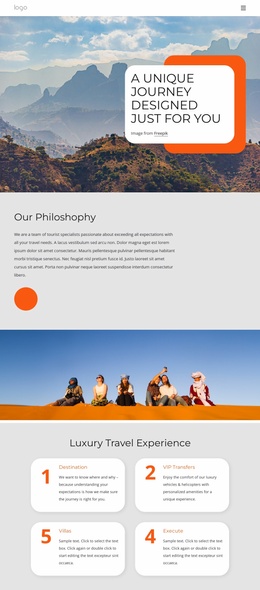
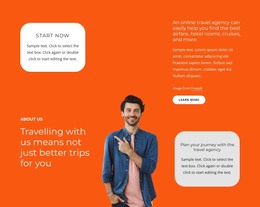
The Hotels, Cruises, and Tours cards create three clear areas of permanent travel content. Each category can introduce a different part of a private-adventure offering while remaining visually coordinated with the shared hero and rounded card treatment. This page-oriented organization gives a WordPress project a useful basis for separating broad travel services from the introductory message, without claiming that specific WordPress Pages or Posts already exist in the template.
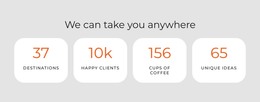
The travel-deal table supplies a different kind of content relationship. It groups trip names with departure dates, durations, prices, and View Trip actions, so a project can interpret the design as a place for offer-focused information alongside the broader categories. The unique-programmes collage and View All Tours button add image-led content that can support destination or tour presentation, while the four metric cards form a compact supporting pattern rather than the main information architecture.
The final contact area gives the page a practical content boundary: three contact-information items appear beside fields for a name, email, and message. Combined with the earlier Book Now actions, this creates a coherent relationship between travel content and inquiry content within the same visual system. A WordPress-managed project could extend these page areas with its own editorial material or recurring updates, but the verified value here is the existing organization of categories, offers, imagery, booking prompts, and contact content—not an assumed blog, post archive, or CMS structure.
Customize with Nicepage
Open this ready-made template in the WordPress Website Builder and customize it visually in the Nicepage editor. Replace demo content, edit page sections, and adapt the design to your project without rebuilding the template from scratch.
Manage and Edit This Theme in WordPress
Customize and Install the WordPress Theme
Start with this ready-made theme instead of building the WordPress design from scratch. Customize its layout, content, typography, images, sections, and other design elements visually in Nicepage editor, then export and install the WordPress Theme, Plugin, and Pages on your WordPress site. The Nicepage WordPress Plugin lets you continue working with the site after installation.
Edit the Theme Directly in WordPress
After installation, you can edit the WordPress Theme directly in WordPress with the Nicepage WordPress Plugin. Use Site Style to customize site Colors, Fonts, Header, Footer, Blog, and Post Page Templates while working within your WordPress website.
Edit WordPress Pages Visually
Use the Nicepage WordPress Plugin to edit page content directly from the WordPress admin area. Open a WordPress Page with Nicepage and visually change its text, images, sections, and other page elements while continuing to manage the Page through WordPress.
WordPress Content and Theme Integration
Use the customized theme with WordPress Pages, Posts, Blog and Post Templates, menus, widgets, and other CMS-managed content. Shared theme elements such as Colors, Fonts, Header, Footer, Blog, and Post Page Templates can be managed as part of the overall site design, while WordPress provides the CMS environment for managing site content.
This workflow combines a ready-made WordPress Theme with visual customization, direct theme editing in WordPress, and continued content management through the Nicepage WordPress Plugin.