Smart home benefits WordPress Theme


Six Stable Offering Cards for WordPress Page Content
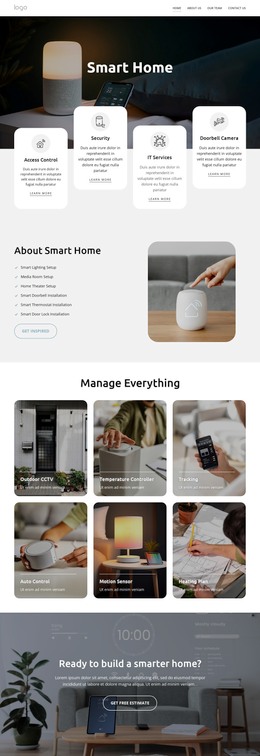
The six cards read as durable informational content rather than a time-sensitive sequence. Under the “Manage Everything” heading, Outdoor CCTV, Temperature Controller, Tracking, Auto Control, Motion Sensor, and Heating Plan form one organized capabilities area. In a WordPress-managed site, that makes the block suitable for a stable page section explaining what a smart-home or security technology offering includes, while other site content can provide broader context or more detailed descriptions.
The content model is also easy to recognize visually. Three columns across two rows separate the six offerings, and every card follows the same pattern: a background image, dark overlay, white title, supporting text, horizontal divider, and rounded corners. That consistency helps the section retain its identity when it sits alongside other page content. The cards can be read as related items within one publishable section rather than as six unrelated posts or as evidence of a particular WordPress content type.
A WordPress-oriented interpretation is therefore about how this reusable section can participate in page content and remain visually stable within a wider managed site. The broader project may use Nicepage and WordPress together for page editing, but this block’s verified contribution is the six-item feature presentation. Its grid, imagery, and copy remain the design basis while surrounding pages and CMS-managed areas handle the rest of the site’s information.
Customize with Nicepage
Open this ready-made template in the WordPress Website Builder and customize it visually in the Nicepage editor. Replace demo content, edit page sections, and adapt the design to your project without rebuilding the template from scratch.
Edit Template Offline
2. Create a new page or select existing
3. Click Add new block, search for id 6315798 and click enter
Edit Template Online
Create Awesome Websites


Free Nicepage Builder
Keywords
Manage and Edit This Theme in WordPress
Customize and Install the WordPress Theme
Start with this ready-made theme instead of building the WordPress design from scratch. Customize its layout, content, typography, images, sections, and other design elements visually in Nicepage editor, then export and install the WordPress Theme, Plugin, and Pages on your WordPress site. The Nicepage WordPress Plugin lets you continue working with the site after installation.
Edit the Theme Directly in WordPress
After installation, you can edit the WordPress Theme directly in WordPress with the Nicepage WordPress Plugin. Use Site Style to customize site Colors, Fonts, Header, Footer, Blog, and Post Page Templates while working within your WordPress website.
Edit WordPress Pages Visually
Use the Nicepage WordPress Plugin to edit page content directly from the WordPress admin area. Open a WordPress Page with Nicepage and visually change its text, images, sections, and other page elements while continuing to manage the Page through WordPress.
WordPress Content and Theme Integration
Use the customized theme with WordPress Pages, Posts, Blog and Post Templates, menus, widgets, and other CMS-managed content. Shared theme elements such as Colors, Fonts, Header, Footer, Blog, and Post Page Templates can be managed as part of the overall site design, while WordPress provides the CMS environment for managing site content.
This workflow combines a ready-made WordPress Theme with visual customization, direct theme editing in WordPress, and continued content management through the Nicepage WordPress Plugin.