Boost Your Online Presence WordPress Theme



Edit Template Offline
2. Create new page and search for id 6481492
Edit Template Online
Create Awesome Websites


Free Nicepage Builder
Keywords
Project Imagery and Contact Content Map to WordPress Pages
The large project panels provide clear page-oriented content areas for a WordPress-managed agency site. Each presentation combines an image with a centered project identity and date label, allowing recurring project or case-study information to retain the same visual treatment. NextGen Marketing Lab and Innovate Digital Agency are visible examples of that structure, not verified client records or published WordPress posts.
The second showcase group repeats the same presentation after a full-width photographic banner. That relationship is useful for separating sets of project content while keeping them inside one coherent theme. Dark navy and black backgrounds, bright magenta, pink, cyan, and orange accents, rounded image corners, and bold typography give the content a consistent visual system. The gallery can therefore sit alongside other page-oriented agency material without losing its identity, even though the analysis confirms only this specific page.
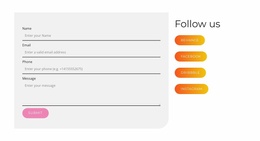
The centered contact area gives the design a permanent information zone for the invitation to discuss expert digital solutions, with telephone and email details shown as contact content. Facebook, Twitter, and Instagram links add recurring social content around the page. In WordPress, these areas could be interpreted through pages and other suitable managed content, but the template analysis does not verify Posts, categories, widgets, or blog sections. The sample project and contact values should be replaced with independently verified information.
Customize with Nicepage
Open this ready-made template in the WordPress Website Builder and customize it visually in the Nicepage editor. Replace demo content, edit page sections, and adapt the design to your project without rebuilding the template from scratch.
Manage and Edit This Theme in WordPress
Customize and Install the WordPress Theme
Start with this ready-made theme instead of building the WordPress design from scratch. Customize its layout, content, typography, images, sections, and other design elements visually in Nicepage editor, then export and install the WordPress Theme, Plugin, and Pages on your WordPress site. The Nicepage WordPress Plugin lets you continue working with the site after installation.
Edit the Theme Directly in WordPress
After installation, you can edit the WordPress Theme directly in WordPress with the Nicepage WordPress Plugin. Use Site Style to customize site Colors, Fonts, Header, Footer, Blog, and Post Page Templates while working within your WordPress website.
Edit WordPress Pages Visually
Use the Nicepage WordPress Plugin to edit page content directly from the WordPress admin area. Open a WordPress Page with Nicepage and visually change its text, images, sections, and other page elements while continuing to manage the Page through WordPress.
WordPress Content and Theme Integration
Use the customized theme with WordPress Pages, Posts, Blog and Post Templates, menus, widgets, and other CMS-managed content. Shared theme elements such as Colors, Fonts, Header, Footer, Blog, and Post Page Templates can be managed as part of the overall site design, while WordPress provides the CMS environment for managing site content.
This workflow combines a ready-made WordPress Theme with visual customization, direct theme editing in WordPress, and continued content management through the Nicepage WordPress Plugin.