Great testimonials WordPress Theme



Stable Testimonial Content With Three Reusable Feedback Entries
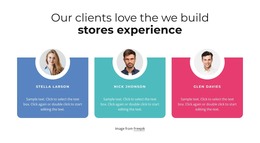
The block reads as permanent page content because it presents a defined testimonial subject rather than a stream of dated entries. The centered eyebrow and heading “We are committed expert partners” introduce the customer-feedback area, while the supporting paragraph gives the repeated content a concise frame. Below that introduction, three cards provide separate testimonial units, each combining a circular portrait with a quotation and person name.
The card structure gives the content a consistent visual pattern that can remain intact as part of a WordPress-managed page. Pink, yellow, and green pastel backgrounds distinguish the entries, and rounded corners create clear boundaries around each item. The portrait-left and quote-right arrangement keeps the identity cue close to the relevant text, while the vertical stack supports reading one testimonial at a time rather than presenting a compressed grid.
In a WordPress-oriented project, this block can serve as a stable testimonials section on a page while the surrounding site manages other content areas separately. It can sit after an introduction or service explanation and before a later contact or response section, depending on the page composition. The CMS context concerns how the section participates in broader page content; the block itself remains one focused visual region with its own heading, repeated entries, imagery, and card treatment.
Customize with Nicepage
Open this ready-made template in the WordPress Website Builder and customize it visually in the Nicepage editor. Replace demo content, edit page sections, and adapt the design to your project without rebuilding the template from scratch.
Edit Template Offline
2. Create a new page or select existing
3. Click Add new block, search for id 462953 and click enter
Edit Template Online
Create Awesome Websites


Free Nicepage Builder
Keywords
Manage and Edit This Theme in WordPress
Customize and Install the WordPress Theme
Start with this ready-made theme instead of building the WordPress design from scratch. Customize its layout, content, typography, images, sections, and other design elements visually in Nicepage editor, then export and install the WordPress Theme, Plugin, and Pages on your WordPress site. The Nicepage WordPress Plugin lets you continue working with the site after installation.
Edit the Theme Directly in WordPress
After installation, you can edit the WordPress Theme directly in WordPress with the Nicepage WordPress Plugin. Use Site Style to customize site Colors, Fonts, Header, Footer, Blog, and Post Page Templates while working within your WordPress website.
Edit WordPress Pages Visually
Use the Nicepage WordPress Plugin to edit page content directly from the WordPress admin area. Open a WordPress Page with Nicepage and visually change its text, images, sections, and other page elements while continuing to manage the Page through WordPress.
WordPress Content and Theme Integration
Use the customized theme with WordPress Pages, Posts, Blog and Post Templates, menus, widgets, and other CMS-managed content. Shared theme elements such as Colors, Fonts, Header, Footer, Blog, and Post Page Templates can be managed as part of the overall site design, while WordPress provides the CMS environment for managing site content.
This workflow combines a ready-made WordPress Theme with visual customization, direct theme editing in WordPress, and continued content management through the Nicepage WordPress Plugin.