Company offices WordPress Theme


Repeated Location Details Fit Stable WordPress Page Content
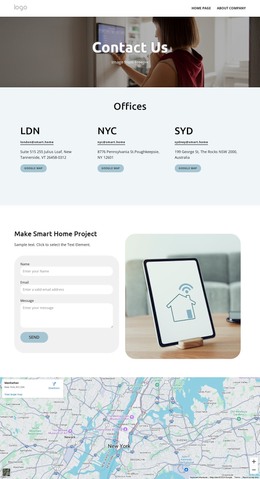
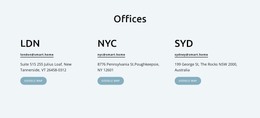
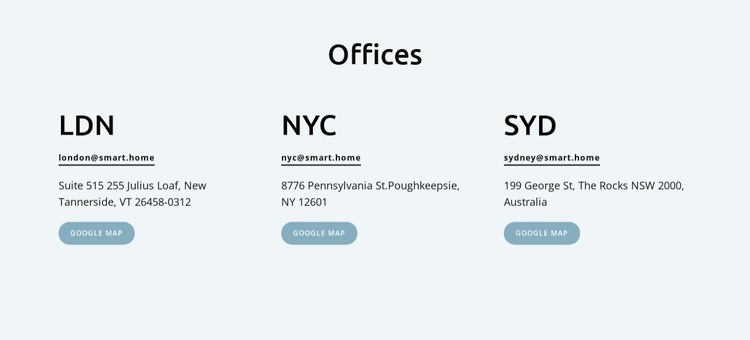
The “Offices” heading introduces a compact content area whose three parallel entries can function as stable location information on a WordPress-managed page. LDN, NYC, and SYD each use the same pattern: a prominent city label, an email link, an address, and a Google Map action. That consistency makes the section suitable for visitors who need to compare office locations or move directly from a city name to contact and map information.
The visual arrangement supports the content role without adding unnecessary complexity. A centered heading establishes the group, while evenly spaced left-aligned columns keep the individual addresses readable. The pale blue-gray background marks the section boundary, dark text carries the practical details, and muted blue rounded buttons provide a repeated visual cue for map access. Horizontal separators add understated structure between the compact contact lines.
Within a WordPress project, this block can serve as permanent page content for an office or locations area, while other CMS-managed content remains outside the section. The sample LDN, NYC, and SYD values, addresses, and email links define the repeated content model and can be replaced with the intended information. The block does not need to carry the wider site’s navigation or editorial structure; its role is to present office contact details in a reusable, consistently formatted region.
Customize with Nicepage
Open this ready-made template in the WordPress Website Builder and customize it visually in the Nicepage editor. Replace demo content, edit page sections, and adapt the design to your project without rebuilding the template from scratch.
Edit Template Offline
2. Create a new page or select existing
3. Click Add new block, search for id 6328911 and click enter
Edit Template Online
Create Awesome Websites


Free Nicepage Builder
Keywords
Manage and Edit This Theme in WordPress
Customize and Install the WordPress Theme
Start with this ready-made theme instead of building the WordPress design from scratch. Customize its layout, content, typography, images, sections, and other design elements visually in Nicepage editor, then export and install the WordPress Theme, Plugin, and Pages on your WordPress site. The Nicepage WordPress Plugin lets you continue working with the site after installation.
Edit the Theme Directly in WordPress
After installation, you can edit the WordPress Theme directly in WordPress with the Nicepage WordPress Plugin. Use Site Style to customize site Colors, Fonts, Header, Footer, Blog, and Post Page Templates while working within your WordPress website.
Edit WordPress Pages Visually
Use the Nicepage WordPress Plugin to edit page content directly from the WordPress admin area. Open a WordPress Page with Nicepage and visually change its text, images, sections, and other page elements while continuing to manage the Page through WordPress.
WordPress Content and Theme Integration
Use the customized theme with WordPress Pages, Posts, Blog and Post Templates, menus, widgets, and other CMS-managed content. Shared theme elements such as Colors, Fonts, Header, Footer, Blog, and Post Page Templates can be managed as part of the overall site design, while WordPress provides the CMS environment for managing site content.
This workflow combines a ready-made WordPress Theme with visual customization, direct theme editing in WordPress, and continued content management through the Nicepage WordPress Plugin.