Marketing Pioneers WordPress Theme


Stable Digital Page Content With a Distinct Editorial Treatment
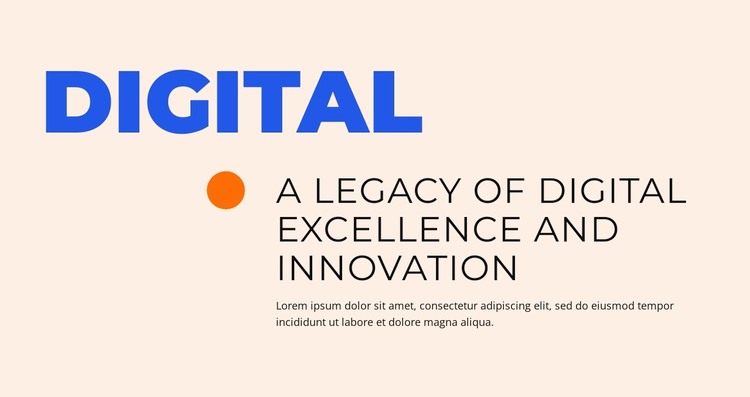
The title “digital” and the heading “A Legacy of Digital Excellence and Innovation” read as stable page content that can remain relevant within a WordPress-managed site. The supporting paragraph gives the statement room for explanation, while the orange circular accent provides a visual marker without introducing a separate data-driven component. The block’s lower arrangement is divided clearly between that accent and the right-side text column.
This makes the section suitable for a permanent informational area where the content is maintained as part of a designed page rather than treated as a rotating list or changing feed. A WordPress-oriented project can place this block alongside other page sections that expand on the digital theme, while its own typography and spacing continue to preserve the original hierarchy. The larger heading should remain the first reading focus after the small subject title, with the paragraph supporting it rather than competing with it.
The warm pale background, blue uppercase label, black editorial type, and orange circle also give the content a recognizable presentation within the wider site. They can be coordinated with other page areas if the project requires a consistent direction. In this context, a WordPress Theme interpretation concerns the block as publishable page content within a broader managed site, not the block as a standalone theme.
Customize with Nicepage
Open this ready-made template in the WordPress Website Builder and customize it visually in the Nicepage editor. Replace demo content, edit page sections, and adapt the design to your project without rebuilding the template from scratch.
Edit Template Offline
2. Create a new page or select existing
3. Click Add new block, search for id 6257895 and click enter
Edit Template Online
Create Awesome Websites


Free Nicepage Builder
Keywords
Manage and Edit This Theme in WordPress
Customize and Install the WordPress Theme
Start with this ready-made theme instead of building the WordPress design from scratch. Customize its layout, content, typography, images, sections, and other design elements visually in Nicepage editor, then export and install the WordPress Theme, Plugin, and Pages on your WordPress site. The Nicepage WordPress Plugin lets you continue working with the site after installation.
Edit the Theme Directly in WordPress
After installation, you can edit the WordPress Theme directly in WordPress with the Nicepage WordPress Plugin. Use Site Style to customize site Colors, Fonts, Header, Footer, Blog, and Post Page Templates while working within your WordPress website.
Edit WordPress Pages Visually
Use the Nicepage WordPress Plugin to edit page content directly from the WordPress admin area. Open a WordPress Page with Nicepage and visually change its text, images, sections, and other page elements while continuing to manage the Page through WordPress.
WordPress Content and Theme Integration
Use the customized theme with WordPress Pages, Posts, Blog and Post Templates, menus, widgets, and other CMS-managed content. Shared theme elements such as Colors, Fonts, Header, Footer, Blog, and Post Page Templates can be managed as part of the overall site design, while WordPress provides the CMS environment for managing site content.
This workflow combines a ready-made WordPress Theme with visual customization, direct theme editing in WordPress, and continued content management through the Nicepage WordPress Plugin.