Business seminars WordPress Theme


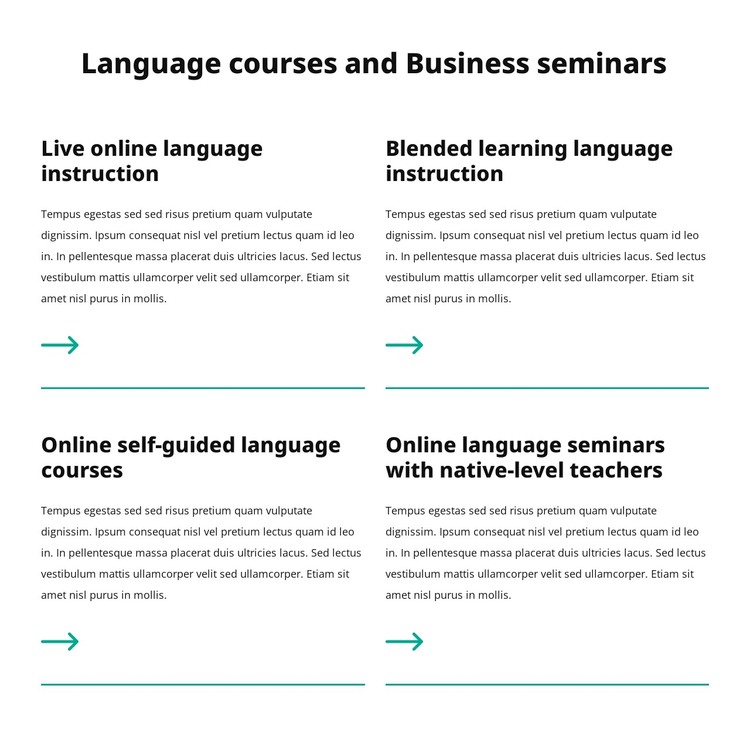
Four Stable Program Descriptions Form a Publishable Services Area
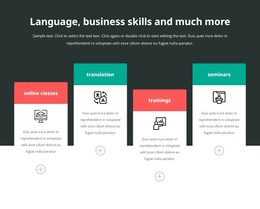
The four named offerings read as durable page content: live online language instruction, blended learning language instruction, online self-guided language courses, and online language seminars with native-level teachers. Each is paired with supporting text, so the block communicates more than a series of labels. The two-column, two-row arrangement gives the services area a compact structure that can remain recognizable when placed among other page content.
For a WordPress-managed context, this block can serve as a stable services section on an education or training page while the wider project manages other content around it. Its repeated item pattern supports consistent presentation across the four programs, and the directional arrows plus teal lower dividers help distinguish each service without changing the underlying content. The centered heading introduces the subject, while left-aligned item text keeps individual descriptions readable. Bold black typography on white also leaves room for the surrounding page to establish related typography and color roles. The section should be understood as page content within a broader WordPress theme and site, not as the theme itself. It can provide the visual and informational treatment for one services area while other CMS-managed pages or sections handle detailed course information, schedules, enrollment, and contact pathways. The block’s strength is its organized, reusable content model.
Customize with Nicepage
Open this ready-made template in the WordPress Website Builder and customize it visually in the Nicepage editor. Replace demo content, edit page sections, and adapt the design to your project without rebuilding the template from scratch.
Edit Template Offline
2. Create a new page or select existing
3. Click Add new block, search for id 6414067 and click enter
Edit Template Online
Create Awesome Websites


Free Nicepage Builder
Keywords
Manage and Edit This Theme in WordPress
Customize and Install the WordPress Theme
Start with this ready-made theme instead of building the WordPress design from scratch. Customize its layout, content, typography, images, sections, and other design elements visually in Nicepage editor, then export and install the WordPress Theme, Plugin, and Pages on your WordPress site. The Nicepage WordPress Plugin lets you continue working with the site after installation.
Edit the Theme Directly in WordPress
After installation, you can edit the WordPress Theme directly in WordPress with the Nicepage WordPress Plugin. Use Site Style to customize site Colors, Fonts, Header, Footer, Blog, and Post Page Templates while working within your WordPress website.
Edit WordPress Pages Visually
Use the Nicepage WordPress Plugin to edit page content directly from the WordPress admin area. Open a WordPress Page with Nicepage and visually change its text, images, sections, and other page elements while continuing to manage the Page through WordPress.
WordPress Content and Theme Integration
Use the customized theme with WordPress Pages, Posts, Blog and Post Templates, menus, widgets, and other CMS-managed content. Shared theme elements such as Colors, Fonts, Header, Footer, Blog, and Post Page Templates can be managed as part of the overall site design, while WordPress provides the CMS environment for managing site content.
This workflow combines a ready-made WordPress Theme with visual customization, direct theme editing in WordPress, and continued content management through the Nicepage WordPress Plugin.