Empowering dreams WordPress Theme


Edit Template Offline
2. Create new page and search for id 6257874
Edit Template Online
Create Awesome Websites


Free Nicepage Builder
Keywords
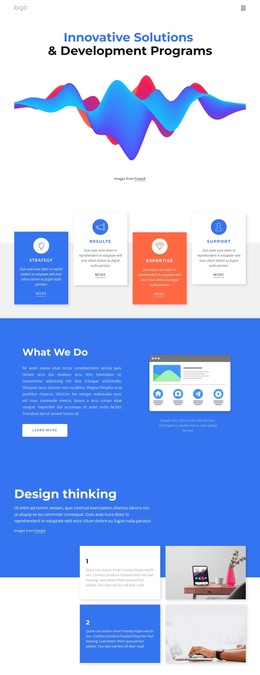
Service Content and Visual Proof Shape the Agency Theme
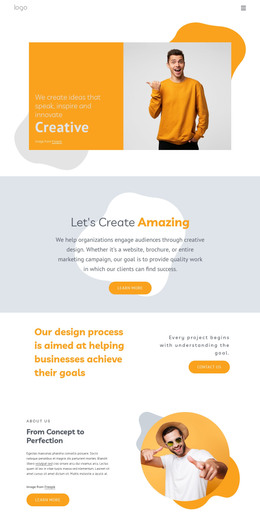
The DIGITAL hero and compact navigation establish a clear page-oriented starting point for an agency theme, while the About section provides a dedicated place for introductory company content. The three service entries—UI/UX Design, Branding, and SEO—give the design a practical content structure that can be maintained as permanent agency information rather than treated only as decorative homepage text.
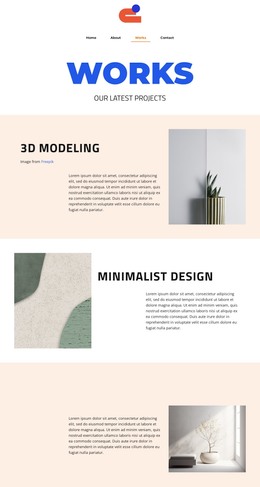
The four-item feature showcase adds a different publishing role. Its paired images and captions can present selected capabilities or project-oriented material, including 3D modeling, minimalist design, mockups, and a universal look, while the service rows explain the broader offer. This separation helps a WordPress-managed site distinguish core service content from visual examples. The testimonial section and four-column metrics band create additional areas for reputation and displayed evidence, although sample quotes and figures should be replaced or independently verified before publication.
The Start project button and final subscription form give the page two recognizable response contexts: prospective client outreach and audience subscription. In a WordPress theme, these areas can remain connected to the same visual system while page content is updated over time. Blue statement panels, orange service accents, cream surfaces, and condensed typography provide the consistent design character that ties these different content roles together without requiring the page to claim an existing blog or post structure.
Customize with Nicepage
Open this ready-made template in the WordPress Website Builder and customize it visually in the Nicepage editor. Replace demo content, edit page sections, and adapt the design to your project without rebuilding the template from scratch.
Manage and Edit This Theme in WordPress
Customize and Install the WordPress Theme
Start with this ready-made theme instead of building the WordPress design from scratch. Customize its layout, content, typography, images, sections, and other design elements visually in Nicepage editor, then export and install the WordPress Theme, Plugin, and Pages on your WordPress site. The Nicepage WordPress Plugin lets you continue working with the site after installation.
Edit the Theme Directly in WordPress
After installation, you can edit the WordPress Theme directly in WordPress with the Nicepage WordPress Plugin. Use Site Style to customize site Colors, Fonts, Header, Footer, Blog, and Post Page Templates while working within your WordPress website.
Edit WordPress Pages Visually
Use the Nicepage WordPress Plugin to edit page content directly from the WordPress admin area. Open a WordPress Page with Nicepage and visually change its text, images, sections, and other page elements while continuing to manage the Page through WordPress.
WordPress Content and Theme Integration
Use the customized theme with WordPress Pages, Posts, Blog and Post Templates, menus, widgets, and other CMS-managed content. Shared theme elements such as Colors, Fonts, Header, Footer, Blog, and Post Page Templates can be managed as part of the overall site design, while WordPress provides the CMS environment for managing site content.
This workflow combines a ready-made WordPress Theme with visual customization, direct theme editing in WordPress, and continued content management through the Nicepage WordPress Plugin.