The leader about his path WordPress Theme


Long-Form About Content for a WordPress-Managed Page
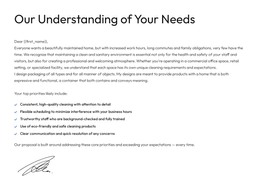
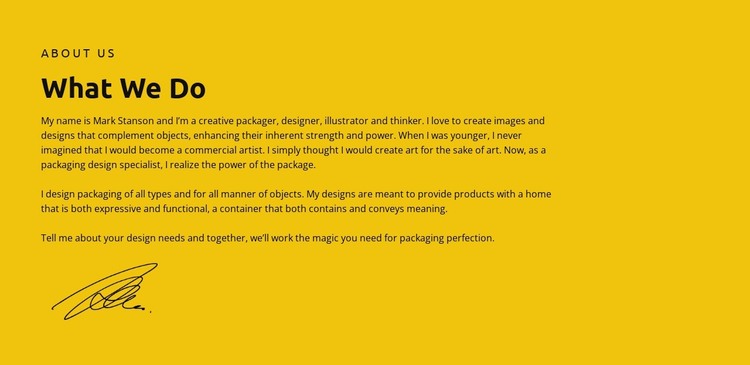
The “About us” label, “What We Do” heading, and extended paragraph form a stable page-content sequence rather than a time-sensitive list of entries. The paragraph explains packaging design through two connected ideas—expression and function—and also names illustration and commercial art. That combination gives a WordPress-managed page a focused introduction to the creative work while keeping the section’s subject readable as one continuous narrative.
The content is framed by a bright yellow background with dark text and strong black contrast. A broad left-aligned text area supports the paragraph’s length, while open space on the right prevents the section from becoming visually crowded. The black handwritten signature below the copy changes the final emphasis from general description to a personal visual sign-off. These relationships make the block identifiable even before surrounding page content is considered.
Used within a WordPress-oriented project, the section can provide permanent about or practice-introduction content on a page while other areas handle portfolio pieces, service detail, posts, or inquiries. The block supplies its own hierarchy, message, color field, and signature treatment; the wider CMS-managed site supplies the surrounding content environment. It is therefore best understood as a publishable visual section that can remain consistent while the broader page or site develops around it.
Customize with Nicepage
Open this ready-made template in the WordPress Website Builder and customize it visually in the Nicepage editor. Replace demo content, edit page sections, and adapt the design to your project without rebuilding the template from scratch.
Edit Template Offline
2. Create a new page or select existing
3. Click Add new block, search for id 6238217 and click enter
Edit Template Online
Create Awesome Websites


Free Nicepage Builder
Keywords
Manage and Edit This Theme in WordPress
Customize and Install the WordPress Theme
Start with this ready-made theme instead of building the WordPress design from scratch. Customize its layout, content, typography, images, sections, and other design elements visually in Nicepage editor, then export and install the WordPress Theme, Plugin, and Pages on your WordPress site. The Nicepage WordPress Plugin lets you continue working with the site after installation.
Edit the Theme Directly in WordPress
After installation, you can edit the WordPress Theme directly in WordPress with the Nicepage WordPress Plugin. Use Site Style to customize site Colors, Fonts, Header, Footer, Blog, and Post Page Templates while working within your WordPress website.
Edit WordPress Pages Visually
Use the Nicepage WordPress Plugin to edit page content directly from the WordPress admin area. Open a WordPress Page with Nicepage and visually change its text, images, sections, and other page elements while continuing to manage the Page through WordPress.
WordPress Content and Theme Integration
Use the customized theme with WordPress Pages, Posts, Blog and Post Templates, menus, widgets, and other CMS-managed content. Shared theme elements such as Colors, Fonts, Header, Footer, Blog, and Post Page Templates can be managed as part of the overall site design, while WordPress provides the CMS environment for managing site content.
This workflow combines a ready-made WordPress Theme with visual customization, direct theme editing in WordPress, and continued content management through the Nicepage WordPress Plugin.